How to grow an AI influencer on Instagram
To grow an AI influencer on Instagram, run three accounts with one job each: a collab account for attention, a trend-chasing account for quick tests, and her main account, which you warm up for 7 days and then feed a reel and a carousel every 2 days. After 2 to 3 weeks you can, optionally, boost the 3 best posts at $20 a day for about two weeks. The AI-generated profile label stays on the whole time.
On this page
- What is the 3-account system?
- How does the collab account work?
- What does the trend-chasing account post?
- How do you set up the main account?
- How often should the main account post?
- Why do carousels matter so much?
- What should her photos look like?
- What do stories and highlights do?
- When should you pay to boost posts?
- Where do Threads and TikTok fit in?
- What can go wrong?
What is the 3-account system?
Three Instagram accounts for the same character, each with one job. The collab account borrows attention from big AI-model pages. The trend-chasing account jumps on whatever is trending this week. The main account is her real profile, posted with care, and it’s where followers who matter end up. Every account carries the AI label.
| Account | Its job | What it posts | What to expect |
|---|---|---|---|
| Collab | Borrow attention | Her photos, posted with up to 5 collab pages as collaborators | Lots of attention, low-quality followers. About 1,000 followers in a month (owner’s expectation, Oct 2026) |
| Trend-chasing | Test ideas fast | This week’s trends: dance trends, POV, GRWM, day-in-the-life, “rating my outfits” | Fast, loose, many misses |
| Main | Build her real audience | Quality reels, carousels with music, daily stories | Slower, but these followers are worth the most |
The owner’s view: a follower on her main account is worth more than 100k followers somewhere else. The other two accounts exist to feed it.
How does the collab account work?
You post her photo, tap Tag people, then Invite collaborator, and add AI-model collab pages. When a page accepts, the post shows on their profile and goes to their followers too. Instagram allows up to 5 collaborators on one post. You cycle through a list of collab pages, a different set for each post.
Instagram’s own rules for collabs, from its help page on collaborative posts (checked 2 October 2026):
- Up to 5 collaborators per post.
- They have to accept. Until they do, the post stays on your profile only.
- Accounts that broke Instagram’s guidelines may lose access to Collabs. Keep the collab account clean too.
The course keeps a list of AI-model collab pages that together have over 100 million followers, and refreshes it. We don’t publish it here: it changes, and pages that get spammed stop accepting. Build your own: find pages that feature AI models through collabs, check that they’re active and accept invites, and only ever send them her original photos.
The trade-off is honest: collab followers are low quality. They followed a page about AI models, not her. What you get is attention, and some of it clicks through to her main account. That’s why it’s a separate account.
What does the trend-chasing account post?
Whatever is trending this week, made fast. Dance trends, POV clips, GRWM (“get ready with me”), day-in-the-life and “rating my outfits” are the formats the course names. Speed beats polish here. You post more, care less about each post, and keep it apart from the main account so a flop never sits on her real grid.
- Dance trends: her version of a dance that’s trending now. Use a source clip you made or have the rights to. How to make these is in the AI influencer dance video guide.
- POV and day-in-the-life: short scenes from her invented life, captioned as a story.
- GRWM and “rating my outfits”: quick cuts of her in several outfits.
The label is on here too. A trend account that hides that she’s AI is exactly the kind Instagram limits.
How do you set up the main account?
Simple and clean. A short bio with her age, her location and a short AI note, a clean username, the AI-generated profile label on, and three story highlights. No link in the bio until day 8. For the first 3 days, find established creators in her niche and follow the accounts they follow.
The full day-by-day plan is in how to warm up a new Instagram account. The short version, our plan built on the course rules:
- Profile. Age, location and a short AI note in the bio, a username that reads like a name, three highlights (an intro, her lifestyle and one more theme).
- Label. Switch on Instagram’s AI-generated profile label before her first post.
- Days 1 to 3. Scroll established creators in her niche and follow the accounts they follow.
- Every day. 10 to 20 minutes of natural scrolling. Post from your phone only.
- From day 2. A reel every 2 days from day 2, a carousel every 2 days from day 3. Keep the first week tame: a dress, not swimwear.
- Day 8. After 7 full days of activity, the link goes in her bio and the first link story goes up.
How often should the main account post?
A reel every 2 days, a carousel with music every 2 days, stories every day, and a story with her link every 3 days. That’s the course’s cadence for the main account. It’s steady rather than heavy, so you can keep the quality high and keep it up for months, which matters more than any single post.
| What | How often | Notes |
|---|---|---|
| Quality reel | Every 2 days | Her best video work goes here, not on the trend account |
| Carousel with music | Every 2 days | 5 photos, same outfit and place |
| Stories | Every day | Lifestyle: coffee, a walk, the view from her window |
| Link story | Every 3 days | A light tease of what’s behind the link, with an offer or a reason to click now |
The free AI influencer posting schedule tool turns this into a calendar you can follow day by day.
Why do carousels matter so much?
In the course’s experience, carousels get more impressions per post: each slide is another chance to be shown, so a carousel can resurface, and music puts it in the Reels tab as well. For an AI character there’s a second benefit: five photos from one outfit and one place make small differences between generations harder to spot.
The course’s carousel recipe:
- Five images. Same outfit, same place.
- Change only the pose and the framing. Close-up, upper body, cowboy shot, three-quarter, full body.
- Mix the framing about a third close-up or upper body, a third cowboy or three-quarter, a third full body.
- Add music before you post.
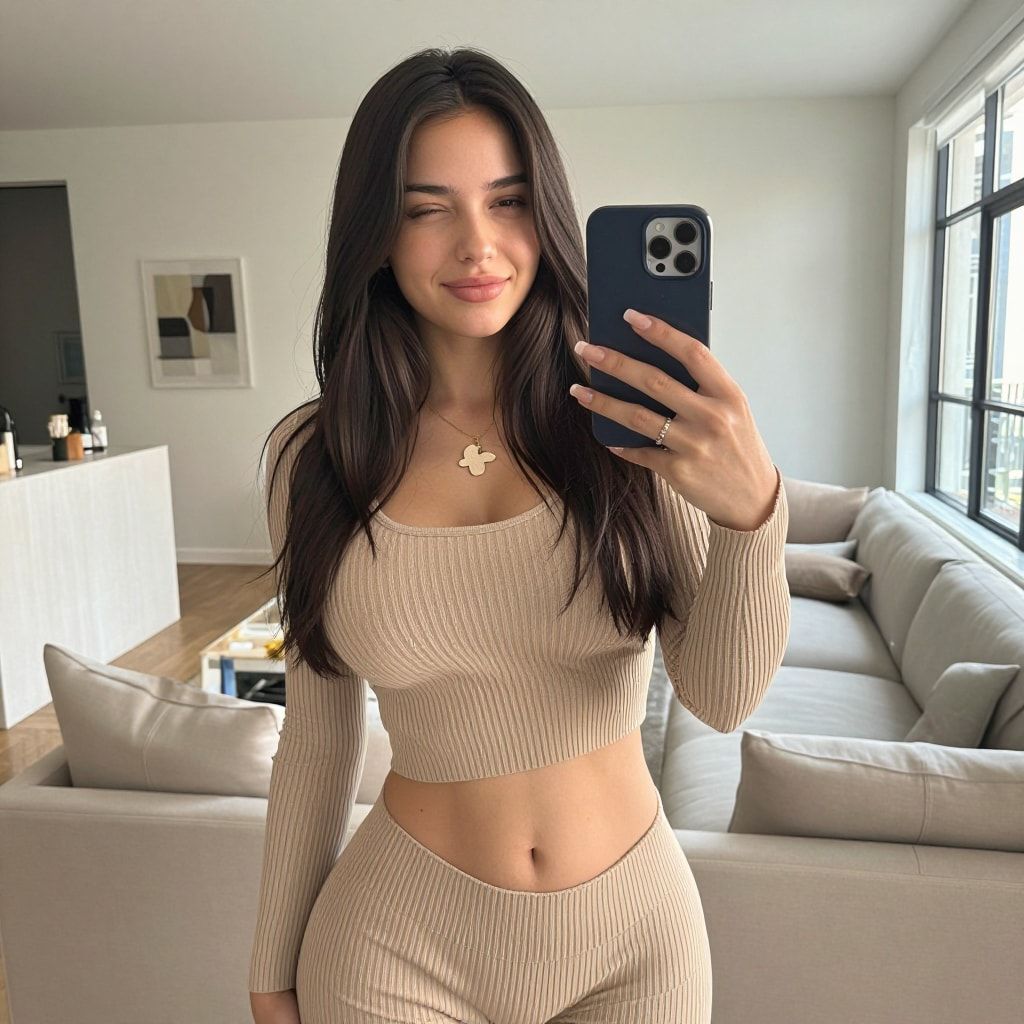

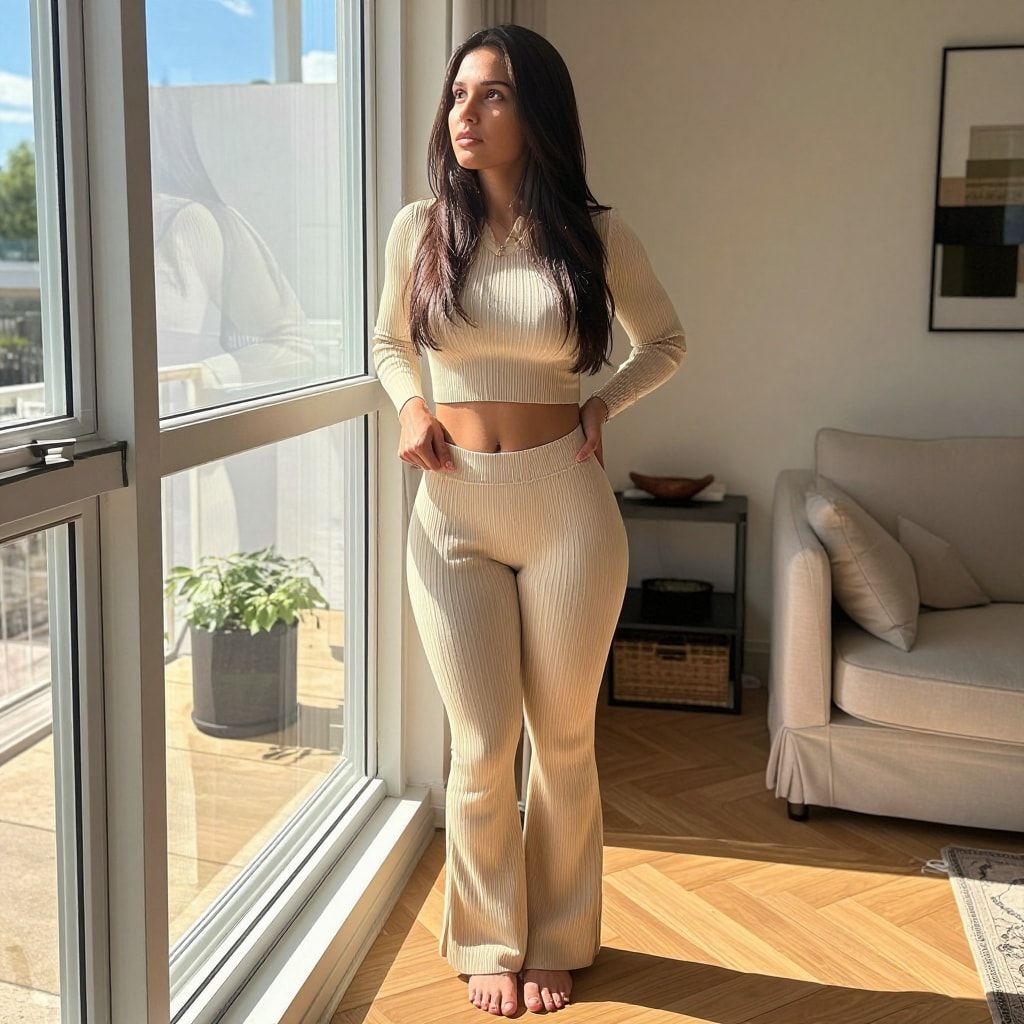

Every photo starts as a prompt with her trigger word, a short hair-and-eyes line and the scene. The free prompt generator writes them in that format, and photo dump prompts has ready-made sets of five.
Hashtags matter less than they used to. Instagram’s hashtag help page says you can use up to 5 tags on a post (checked 2 October 2026). Use a few specific ones.
What should her photos look like?
Like an iPhone photo a friend took. Everyday places, natural light, a slightly off framing, nothing that looks like a studio shoot. Professional-camera portraits read as fake on a new account. So does cosplay at zero followers. Keep the first weeks soft, too: start with a dress, not swimwear, and build from there.
There’s an official reason for the soft start. Instagram’s recommendation guidelines list sexually suggestive content as allowed but possibly not eligible for recommendations, which means Instagram may not show it to people who don’t follow her yet. They also say Instagram tries not to recommend accounts that repeatedly show that kind of content in the profile photo or bio. A new account lives on recommendations, so don’t give them a reason to skip her. If her reach has already dropped, does Instagram shadowban AI content walks through the real causes.
More on the phone-photo look in how to make AI images look real.
What do stories and highlights do?
Stories keep the followers she already has. Post one every day, simple lifestyle moments that make her feel lived-in. Every third day, one story carries her link with a light tease and a reason to tap now. Highlights pin the best stories to her profile, so a new visitor gets her intro and lifestyle at a glance.
Three highlights is enough: an intro, her lifestyle, and one theme that fits her niche. The link story points to her link-in-bio page, labelled honestly. If that leads to Fanvue, name it as Fanvue; Fanvue’s rules for AI creators require clear AI disclosure there too.
When should you pay to boost posts?
Only if you want to, and only after 2 to 3 weeks of steady posting. Skip it and the rest of the system works the same. The owner’s method: pick the 3 posts that already did best on their own and boost them at $20 a day for about two weeks (October 2026).
What Instagram itself says about boosting, from its Boost a post help page (checked 2 October 2026):
- You need a professional account. Switch before you start.
- Add funds on instagram.com, not the iPhone app. In most regions Apple may take a 30% service fee on funds added in the iOS app.
- Boosted posts are ads, so they must pass Meta’s ad standards, which don’t allow sexually suggestive poses. Boost a casual, fully clothed post, not a bikini shot.
Boosting is allowed, paid promotion. Buying likes or followers is not the same thing: Instagram’s recommendation guidelines name purchasing likes as a reason it stops recommending an account.
Where do Threads and TikTok fit in?
Both feed the main Instagram account. Start Threads once Instagram has existed for a week, with posts suggested on Facebook and Instagram. Use TikTok for dance videos and casual photo posts, and send people to Instagram rather than relying on a TikTok link. Neither replaces the main account; both bring people to it.
- Threads: two pictures and a short caption, replies on popular posts, and a setting that lets Meta suggest her posts on Facebook. The full setup is in growing an AI influencer on Threads.
- TikTok: dance videos and “bad selfie” photo posts, with TikTok’s AI label on. See growing an AI influencer on TikTok.
- TikTok money: TikTok pays some creators through its Creator Rewards Program. Its published rules don’t mention AI either way, and they leave out photo posts and videos under a minute, which is most of what the course posts there. The details are in can AI content be monetized on TikTok.
Growth only pays when it leads somewhere. Where the money comes from is in making money with an AI influencer.
What can go wrong?
- You skip the AI label. Instagram’s recommendation guidelines list accounts that “repeatedly and recently shared content that prominently features a photorealistic AI-generated person, unless the account has disclosed this by adding the AI-generated profile label” among those it tries not to recommend (checked 2 October 2026). Turn the label on before the first post.
- You post 20 times in week one. A brand-new account that acts like a bot gets treated like one. Warm up first.
- The link goes up on day one. Wait until day 8, after 7 full days of activity.
- You start with swimwear. Suggestive content may not be recommended to non-followers, and a suggestive profile photo can keep the whole account out of recommendations.
- You boost a bikini shot. Ads can’t show sexually suggestive poses. The boost gets rejected and you’ve wasted the timing.
- You use automation. Bots, follow tools and browser extensions break Instagram’s terms. One flagged account can take the work of months with it.
- You buy followers or a “warmed” account. Instagram’s terms forbid buying accounts, and bought likes push an account out of recommendations.
- Her face changes between posts. Followers notice before you do. Keep her consistent with a character LoRA; see how to keep your AI character’s face the same.
Questions people ask
How long does it take to grow an AI influencer on Instagram?
Do you need three Instagram accounts?
Should an AI influencer use hashtags?
Can I automate posting or engagement for my AI influencer?
Does the AI label hurt growth?
More guides in this section
Read next
- Instagram's AI-generated profile label: who needs it and how to turn it on
Since 31 Aug 2026 Instagram limits AI personas without the AI-generated profile label. Who needs it, how to turn it on, and what it does to reach.