How to make an AI influencer dance video (from clips you're allowed to use)
An AI influencer dance video takes two things you prepare: a clean dance clip you filmed or licensed, and a high-quality image of your character. In the course’s dancing-videos lesson, both go into LTX on a rented RTX 5090 with two short prompts. The pod takes 20 to 40 minutes to load, so you batch about 20 clips per session. It’s one format from our guide to making AI influencer videos.
Affiliate note: RunPod and Fanvue links on this page are referral links. If you sign up through them, AI Empire may earn credits or a commission. You pay the same. How this works.
On this page
- What do you need to make an AI dance video?
- Where do you get a dance clip you’re allowed to use?
- How do you film a dance clip that works?
- What image of her do you need?
- What are the two prompts?
- How do you batch dance videos with LTX?
- Can you use Kling motion control instead?
- Where should dance videos go, and how do you label them?
- What can go wrong?
What do you need to make an AI dance video?
A clean source clip you have the right to use, a high-quality image of your character, a rented GPU running LTX, and a label when you post. The image should be sharp with her face clear; we use one made with her character LoRA so she matches her other posts. A blurry or low-quality image won’t hold up.
- A source clip. You filmed yourself, or you licensed it. Rules below.
- Her image. One sharp image of her, face clear. One per look is enough.
- A pod. LTX is open-weight and runs on a RunPod GPU you rent by the hour.
- A label. TikTok and Instagram both expect AI content to be disclosed.
If her face still changes between posts, fix that first: keeping her face the same in every photo. A dance of a face that drifts doesn’t build an account.
Where do you get a dance clip you’re allowed to use?
Film yourself doing the dance, or license stock footage that allows editing and AI use. That’s the course’s rule for dance clips. Most tool pages tell you to paste a TikTok link. Don’t: that video and that performance belong to another creator, and swapping your character in doesn’t make it yours.
| Source | OK? | What to check |
|---|---|---|
| You, filmed on your phone | Yes | One continuous shot, phone propped up or on a tripod |
| Stock footage | Only if the licence allows it | Read the licence for editing and AI or “derivative” use |
| Anyone else’s clip, including a creator’s TikTok or Reel | No | Never, even as “just the motion” |
| A screen recording of any video | No | Same problem, worse quality |
You don’t need to dance well. The model copies body position and timing, not talent. A simple trend you learned in ten minutes and filmed in your living room works.
There’s also a route with no clip at all. Wan’s Wan-Dancer-14B (July 2026) makes a dance video from music, one reference image and a style prompt. Its model card marks ComfyUI integration as done (checked 2 Oct 2026). It isn’t a course lesson and we haven’t tested it.
How do you film a dance clip that works?
Film yourself, full body, from a phone that doesn’t move, for a short section of the dance. Motion models copy what they can see clearly: a body that leaves the frame, a camera that pans or a cut in the middle all come out as warped limbs or a broken clip. Clean input is most of the result.
- Pick the section people recognise. Most trends have a few seconds everyone knows. Film that part, not the whole song.
- Fix the phone. Tripod or propped on a shelf. No handheld, no zoom, no pans.
- Full body in frame the whole time, head to feet, with space around you.
- Stay roughly in one spot. Kling’s motion control guide asks for minimal travel across the frame, and the same habit helps any motion model.
- Moderate speed. Skip spins and very fast arm moves. They’re where hands and feet fall apart.
- One continuous shot. No cuts. Trim the start and end, nothing in the middle.
- Plain, tidy background with good light, so the model isn’t guessing what’s behind you.
Film a few takes and keep the cleanest. You’ll want about 20 usable clips per LTX session anyway.
What image of her do you need?
One sharp, high-quality image where her face is clear. You don’t build the start frame yourself: the LTX workflow takes the clip’s first frame and rebuilds it with her, from your first prompt. So the image only has to show who she is. We use one made with her LoRA so her face matches the rest of her feed.
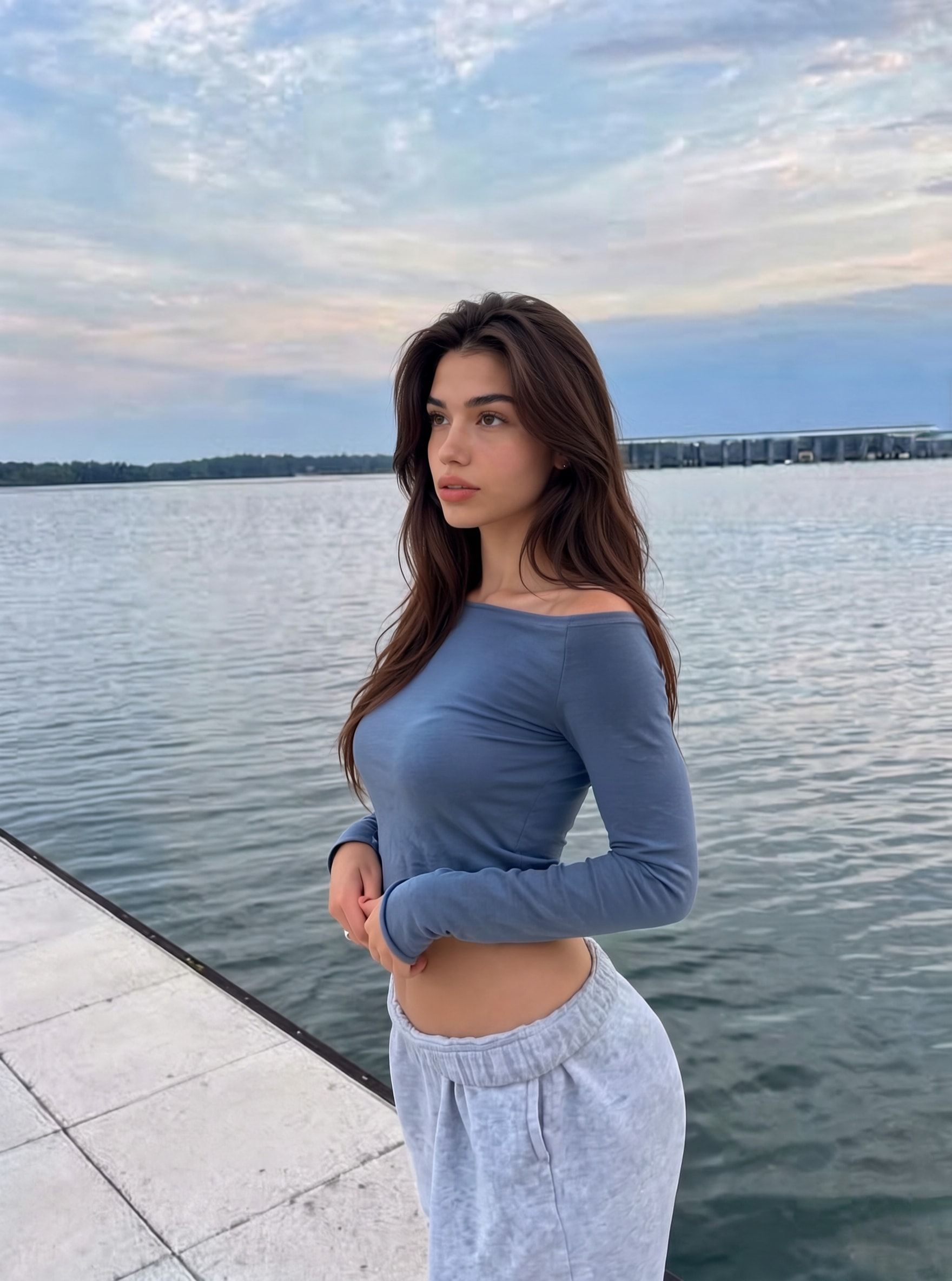
What matters is quality. In the lesson’s demo, a low-quality photo went in and her face came out looking a bit different. One good image per look is enough for a whole batch.
What are the two prompts?
Prompt 1 rebuilds the clip’s first frame with her and names her outfit. Prompt 2 describes the dance, with the same outfit words. The outfit comes from the prompts, not from her image, so if the wording differs between the two, the outfit changes mid-dance. Describe only moves the clip actually has.
| Prompt | What it does | Example in the lesson’s style |
|---|---|---|
| Prompt 1: the first frame | Replaces the dancer in the clip’s first frame with her and sets the outfit | Remove and replace the woman in image one. Keep everything else consistent. She's wearing a yellow tank top and shorts. |
| Prompt 2: the motion | Describes what happens in the clip, with the same outfit words | The young woman is dancing in the room. She's wearing a yellow tank top and shorts. |
Keep the outfit short, plain and casual: a tank top and shorts, a summer dress. The course starts new accounts with a dress, not swimwear. And match prompt 2 to your clip: the lesson’s demo prompt included “then faces away from the camera”, and the owner deleted it because his clip didn’t do that.
How do you batch dance videos with LTX?
Prepare everything first, then run it all in one pod session. In the course, the LTX pod takes 20 to 40 minutes to load and the first video takes about 10 minutes, so one test clip is the most expensive clip you’ll make. About 20 source clips per session spreads that wait across a whole batch of videos.
- Before you deploy: about 20 trimmed source clips, one good image of her (one per outfit or look is enough), and both prompts written down with the outfit words fixed.
- Deploy the pod on RunPod (the lesson uses an RTX 5090) and wait. 20 to 40 minutes is normal; watch the logs.
- Run the first clip and expect about 10 minutes. Check her face, hands and outfit before you queue the rest.
- Check prompt 1 and prompt 2 for each clip. Same outfit words in both, and prompt 2 describes only what that clip’s dancer does.
- Queue the rest of the batch and let it run.
- Download everything, then terminate the pod. Stopping alone keeps billing its disk: our RunPod guide explains why.
The owner’s view on LTX, as of October 2026: “probably not better than Kling 3.0, but way cheaper”. For a format you post several times a week, cheap per clip is what matters.
Can you use Kling motion control instead?
Yes. The course teaches dance through Kling motion control too, for single clips when you’d rather pay per video than run a pod. Kling is a rented, paid tool with its own rules for the image and the clip. Our Kling motion control guide has the steps, the prompt and the credit costs.
In the course’s view, Kling is the fastest and gives the best quality but is rented and paid, Wan 2.2 is open-weight on RunPod, and LTX does cheap batches at lower quality; the AI influencer videos guide covers when to pick which.
Where should dance videos go, and how do you label them?
On her trend-chasing account, with TikTok’s AI-generated content setting on. In the course’s system that account is the fast, loose one for dance trends, POV and day-in-the-life clips, separate from her main account. TikTok’s community guidelines, effective 24 September 2026, require realistic AI content to be labelled.
- Add the sound in the app. Pick the trend’s sound from the platform’s library when you post, so the video is tied to the trend.
- Send people to Instagram. You can’t rely on a link working on TikTok. More in growing an AI influencer on TikTok.
- Label every video, not just the first. Unlabelled AI content can be removed or restricted. Step by step: our TikTok AI label guide. Never present her as a real dancer: disclosure is the rule everywhere.
What can go wrong?
- Her outfit changes during the dance. The outfit words differ between the two prompts. Copy the same text into both.
- Limbs stretch or vanish mid-move. The section has spins, fast moves, or the dancer leaves the frame. Pick a slower section or film again with more space.
- The background warps. The phone moved, or the clip has a cut. Film from a fixed phone, one continuous shot.
- Her face looks off. The image of her was low-resolution: in the lesson’s demo, a low-quality photo gave a face that looked a bit different. Use a sharp image.
- She does something the dancer didn’t. Prompt 2 describes a move the clip doesn’t have. Delete it.
- Her face drifts from her other posts. The image wasn’t made with her LoRA. Use one you’d post as her.
- You spent an hour on one clip. You deployed the LTX pod for a single test. Prepare the whole batch of about 20 clips first.
- The bill keeps running. You stopped the pod but didn’t terminate it.
- The video is removed or loses reach. Usually no AI label, or a clip that wasn’t yours. Fix both before you post again.
Questions people ask
Can I use a dance video from another TikTok creator?
Why does the course use LTX for dance videos?
How long should the source dance clip be?
Do I have to label an AI dance video on TikTok?
Read next
- How do you make AI influencer videos?
Three ways to animate an original AI character: Kling (rented, fast), Wan 2.2 (open-weight on RunPod) or LTX (cheap batches). What each needs and costs.
- How do you use Kling motion control with an AI character?
Rebuild the clip's first frame with your AI character, then run motion control with one prompt. Kling's clip rules and credit costs, checked Oct 2026.
- Are AI influencers legal? The 2026 rules, platform by platform
Instagram, Meta, TikTok, Fanvue, OnlyFans, the FTC, the EU AI Act and the TAKE IT DOWN Act: what each requires from an AI influencer. Checked 2 Oct 2026.