How to warm up a new Instagram account, the honest way
To warm up a new Instagram account, use it like a normal person for 7 days before you push it: set up a simple profile, scroll for 10 to 20 minutes a day, follow the accounts that established creators in her niche follow, post tame photos from your phone from day 2, and add the link only on day 8. It’s step one of growing an AI influencer on Instagram.
On this page
- Do you need to warm up a new Instagram account?
- What do you set up on day 1?
- What does the 7-day warm-up look like?
- Who should a new account follow?
- Why post from your phone?
- What should the first posts look like?
- When can you add the link in bio?
- What about proxies, aged accounts and warm-up tools?
- What can go wrong?
Do you need to warm up a new Instagram account?
Yes, though not because of a secret rule. Instagram doesn’t publish a warm-up period. What it does publish are recommendation guidelines: accounts that look spammy, suggestive or bought don’t get shown to new people. A fresh account that posts 20 times and drops a link on day one looks exactly like that.
Many top results for this question come from proxy sellers and multi-account tools. Their advice is built for account farms: dozens of accounts, rotating IPs, follow limits per hour. None of that applies to one real account for one AI influencer, and the per-hour limits they quote aren’t from Instagram.
What a warm-up actually does is simpler. It gives the account a week of normal use before you ask anything of it, and it gives you a week to learn her niche before you post into it.
What do you set up on day 1?
The profile, the label and the look. A short bio with her age and her location (plus a short AI note, our recommendation), a readable username, a casual profile photo, and the AI-generated profile label on. Plan three highlights. Leave the link field empty. Everything a visitor sees should say “real account, disclosed as AI, nothing to sell yet”.
- Username. Clean and readable: a name, maybe a short word. Our suggestion: no strings of numbers or underscores. How to pick and check her name.
- Bio. Her age, where she lives, and a short note that she’s AI. One line is enough. See 15 example bios.
- Profile photo. A casual, fully clothed phone-style photo of her face.
- AI label. Turn on the AI-generated profile label in Edit profile before her first post. How to turn it on.
- Highlights. Plan three: an intro, her lifestyle, and one theme from her niche. Fill them as stories come in.
- Link. Empty for now.
Keep the profile photo and bio soft for a reason. Instagram’s recommendation guidelines say it tries not to recommend accounts that repeatedly show content it doesn’t recommend, sexually suggestive content included, in the profile photo, username or bio (checked 2 October 2026). The same guidelines list accounts that “repeatedly and recently shared content that prominently features a photorealistic AI-generated person, unless the account has disclosed this by adding the AI-generated profile label”. That’s why the label goes on before the first post.
What does the 7-day warm-up look like?
The course gives the rules: follow who established creators follow for the first 3 days, scroll 10 to 20 minutes a day, post from the phone only, keep posts tame, and no link until after 7 days of activity. The plan below is our fit of those rules into one week.
Our day-by-day plan, built on the course rules. It’s the same week the free AI influencer posting schedule tool lays out:
| Day | What you do | What you don’t do |
|---|---|---|
| 1 | Create the account in the app on your phone. Clean username, AI label on, bio with her age, location and a short AI note | Link in bio |
| 1 to 3 | Look up established creators in her niche and follow, by hand, the accounts they follow | Mass-follow, DM strangers |
| Every day | 10 to 20 minutes of natural scrolling, and a story from her everyday life | Automation of any kind |
| From 2 | A reel every 2 days from day 2, a carousel every 2 days from day 3. Tame: a dress, not swimwear | Swimwear, studio-looking shots |
| 4 | Save her stories into three highlights, for example intro and lifestyle | |
| 8 | After 7 full days of activity, the link goes in her bio and the first link story goes up |
From day 8 the account runs on the normal rhythm: a reel and a carousel every 2 days, stories daily, a link story every 3 days.
Who should a new account follow?
Established creators in her niche, and then the accounts they follow. If she’s a gym girl, find a few big fitness creators, open their following lists, and follow the accounts you see there. It fills her feed with the right accounts fast, which is the research you need anyway.
Pick the niche before day 1. Threads topics from the course make good starting points: gym girl, pilates girl, morning routine, outfit check, clean girl, hot girl walk, soft life. Search one, look at who posts it best, and start there.
While you scroll, look at what works for those creators: the framing of their photos, how long their reels run, what their stories look like.
Why post from your phone?
Because that’s how a real person posts. The course rule is phone only, at least while the account is new: the Instagram app, your camera roll, done. No desktop tools posting on her behalf, no apps that follow or like for you, no browser extensions. It’s also the only way to see her account exactly as her followers will.
Generate her photos wherever you like, then move them to your phone and post them by hand. The scrolling should be yours too. Instagram’s Terms of Use say you can’t create accounts or access or collect information in an automated way without its permission (checked 2 October 2026). Follow bots and engagement tools live right on that line.
What else runs from the phone, and what needs a laptop once, is in making an AI influencer on your phone.
What should the first posts look like?
Soft, simple and like a phone photo. A dress, not swimwear. Everyday places: her apartment, a café, a street, a bar with friends. Natural light and slightly imperfect framing, as if a friend took it. No studio portraits, no cosplay, nothing that makes a new visitor think “ad” or “fake” before they’ve seen five posts.
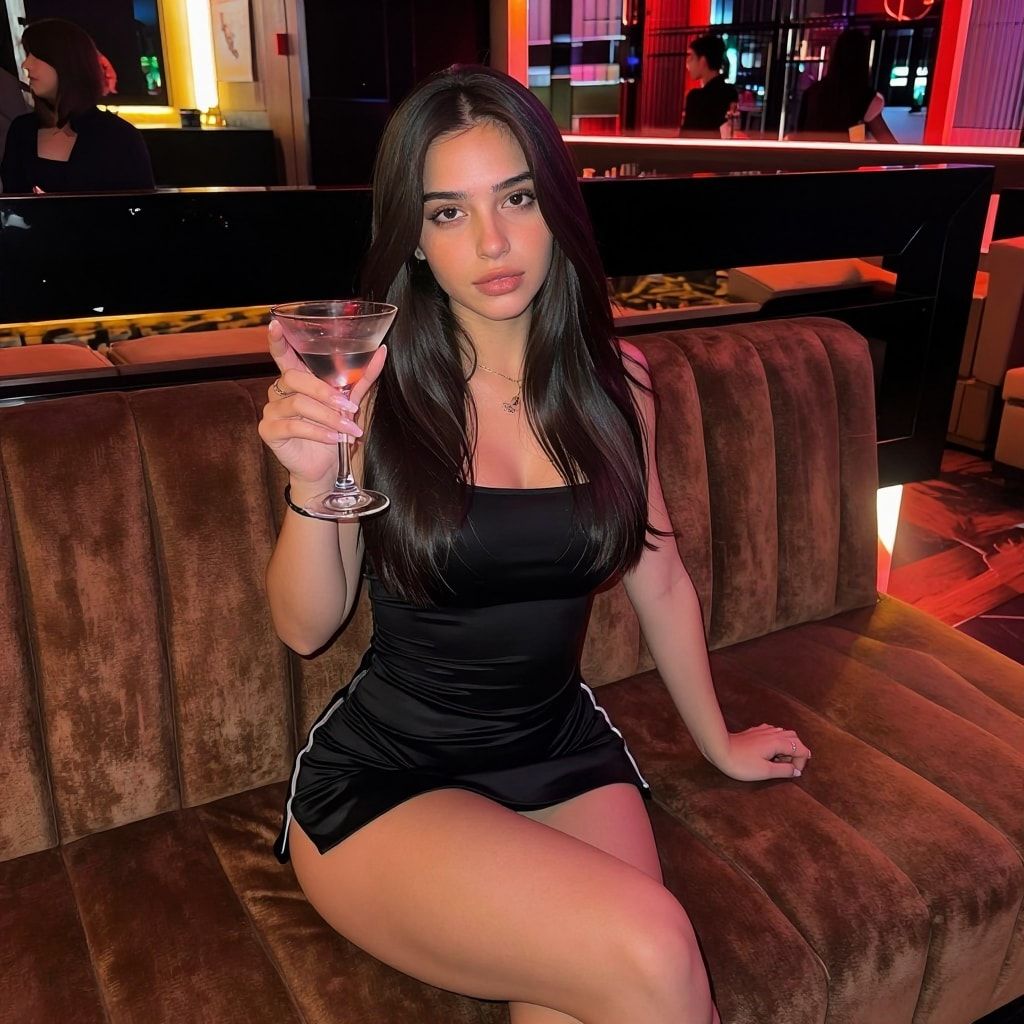
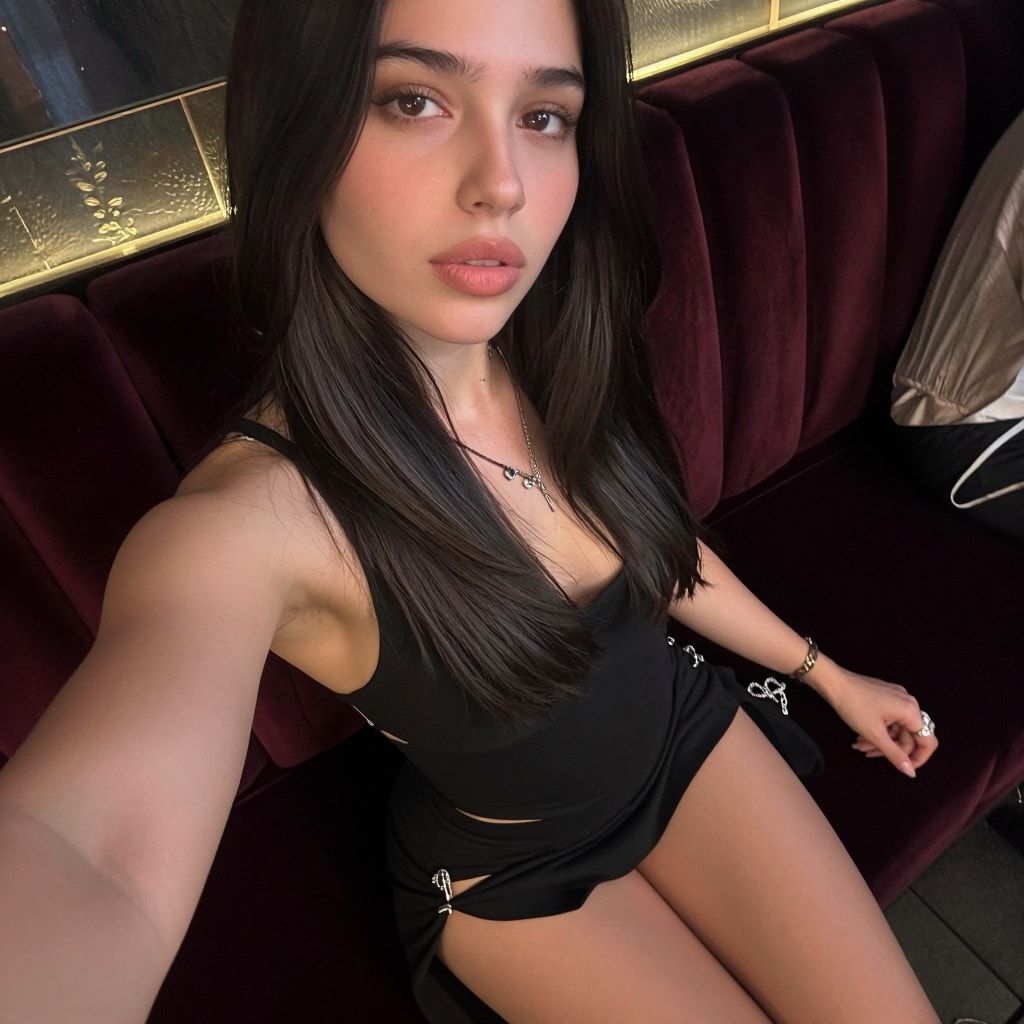
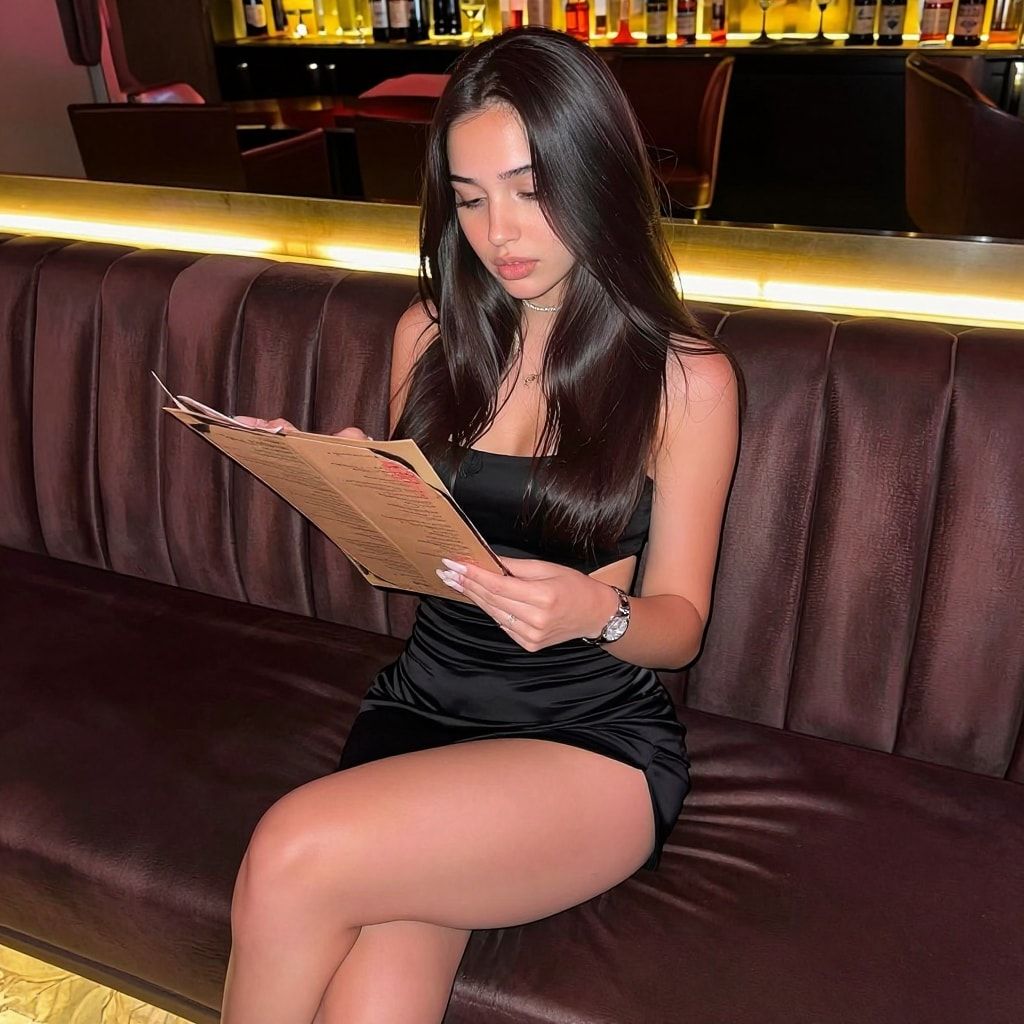
A first-week carousel like this looks like a normal night out, and it gives Instagram nothing to hold back from recommendations. Keeping one outfit and one place also makes small differences between shots harder to notice. Her face itself stays the same because it comes from her character LoRA, not from the outfit.
The phone-photo look comes from the prompt: end it with “candid smartphone photo, natural skin texture” and name a real place and real light. The free AI influencer prompt generator builds prompts that way.
When can you add the link in bio?
On day 8, after 7 full days of normal activity. Before that, the account has no history and the link is the first thing anyone sees. After it, the link sits on a profile with posts, stories and a week of real use behind it. From then on, a story with her link goes up every 3 days.
Where the link goes matters too. Point it at a simple link-in-bio page, and label every destination honestly. If one of them is Fanvue, call it Fanvue. Fanvue requires AI creators to disclose clearly that the account is AI, so the honesty has to hold all the way through.
What about proxies, aged accounts and warm-up tools?
Skip all of them. They’re built to make many accounts look like many different people, and that’s not what you’re doing. You run one main account for one character, from your own phone, labelled as AI. Buying an account breaks Instagram’s terms, and bought engagement keeps an account out of recommendations.
What Instagram says, checked 2 October 2026:
- Buying accounts: the Terms of Use say you can’t sell, license or purchase any account. An “aged” account is a bought account with someone else’s history.
- Automation: the same terms forbid creating accounts or collecting information in an automated way without permission.
- Bought likes: the recommendation guidelines name purchasing likes as a misleading practice that stops Instagram recommending an account.
The course does use more than one account: a collab account and a trend-chasing account next to the main one, each with its own job and the AI label on. How they fit together is in the 3-account system. Each one is a real account you run yourself, not a farm.
Once the main account is a week old, it’s also time to start Threads for her.
What can go wrong?
- You post 20 photos on day one. A brand-new account dumping content looks like a bot. Stick to a reel and a carousel every 2 days.
- The link goes up on day one. The first thing anyone sees is a link with nothing behind it. Wait.
- Swimwear first. Suggestive posts may not be recommended to non-followers, and a suggestive profile photo or bio can hold back the whole account.
- You forget the AI label. Instagram says unlabelled AI profiles may see limits. Switch it on before the first post.
- You skip the scrolling. You never learn her niche, and her feed stays full of the wrong accounts.
- You buy an “aged” account. It breaks Instagram’s terms and you inherit a history you can’t see.
- Her photos look like a photoshoot. Studio light and perfect framing read as fake. Phone photos, everyday places.
Questions people ask
How long should you warm up a new Instagram account?
Can you post during the warm-up?
Do you need a proxy or a separate phone?
Should I buy an aged Instagram account to skip the warm-up?
Read next
- How to grow an AI influencer on Instagram
Collab, trend and main accounts, a 7-day warm-up, a reel and carousel every 2 days, an optional $20/day boost on your 3 best posts. AI label on.
- Instagram's AI-generated profile label: who needs it and how to turn it on
Since 31 Aug 2026 Instagram limits AI personas without the AI-generated profile label. Who needs it, how to turn it on, and what it does to reach.
- How to grow an AI influencer on Threads
Start after a week on Instagram, let Threads suggest her posts on Facebook, post two photos and a short caption, reply to popular posts. No automation.