How to make AI images look real (and still label them as AI)
Prompt the photo, not the person. Make every image look like an iPhone photo a friend took: an everyday place, light with a real source, a pose caught mid-moment, and a prompt that ends candid smartphone photo, natural skin texture. Our 6 phone-photo rules are below, plus the studio words to delete. Real-looking is about the photo; she’s still labelled as AI. For keeping her face the same across all of it, see consistent AI character.
Why do AI images look fake?
Most look fake because they look like nobody took them. Studio light, a perfect pose, a spotless background, centred framing and skin with no texture read as generated before anyone studies the face. In our pipeline, the causes come down to three things: studio-style prompts, words about her skin or makeup, and a LoRA trained too long.
| What you see | Usual cause | Fix |
|---|---|---|
| Studio light, posed look | The prompt describes a photoshoot | Name a real light and a phone photo type |
| Glossy, too-perfect skin | Skin, makeup or “flawless” words in the prompt | Delete them; end with natural skin texture |
| Every image a close-up | No framing mix | A third close-up, a third cowboy, a third full body |
| She looks like a different woman | Face, makeup or body words | Keep only the hair-and-eyes line |
| Plastic skin, same background every time | Overtrained LoRA checkpoint | An earlier checkpoint (below) |
What should a realistic prompt end with?
Every prompt in the course ends with candid smartphone photo, natural skin texture. The first part sets the photo type: a snapshot, not a shoot. The second asks for skin the way a phone camera sees it. Everything before it follows a fixed order: trigger word, hair and eyes, pose, outfit, place, light, framing.
The format:
TRIGGER, <hair-and-eyes line>, <shot/pose>, <outfit>, <place>, <light>, <framing>, candid smartphone photo, natural skin textureA filled-in example, 49 words. Swap zvx woman and the hair-and-eyes line for your own character’s:
zvx woman, long wavy dark brown hair, middle part, hazel eyes, sitting sideways in a café window seat holding an iced latte, oversized grey hoodie and black leggings, small corner café on a rainy afternoon, soft grey daylight through the glass, upper body, candid smartphone photo, natural skin textureWhat stays out: her face shape, makeup, skin and body. Her character LoRA already knows them, and describing them pulls the model toward a different woman. The free AI influencer prompt generator writes prompts in this order.
What makes a photo look like a phone photo?
Picture the photo a friend would take of her on an iPhone, then prompt that. A place she’d really be, light you can name, a pose caught mid-moment, and a phone framing. That’s the course’s Instagram photo rule: an iPhone photo a friend took, never a professional-camera portrait. Six rules turn it into prompts.
- Who’s holding the phone decides the framing. When she takes it:
selfie,mirror selfieorhigh-angle selfie. When a friend takes it:upper body,cowboy shot,three-quarter bodyorfull body. Pick one: a selfie can’t also be shot from across the room. - Everyday places. A café, a car, her sofa, a boardwalk, a gym. Not a set, not a studio backdrop.
- Light with a source. “Bright afternoon sun with crisp reflections”, “soft grey daylight through the glass”. The light comes from somewhere you could point at.
- A pose caught mid-moment. Holding a coffee, sitting sideways, reading a menu. Not standing square to the camera.
- Mix the framing across the feed: about a third close-up or upper body, a third cowboy or three-quarter, a third full body.
- Post carousels as one shoot: 5 images, same outfit and place, only pose and framing change. Why that works: keeping her consistent across a whole post. Ready-made sets: photo dump prompts.
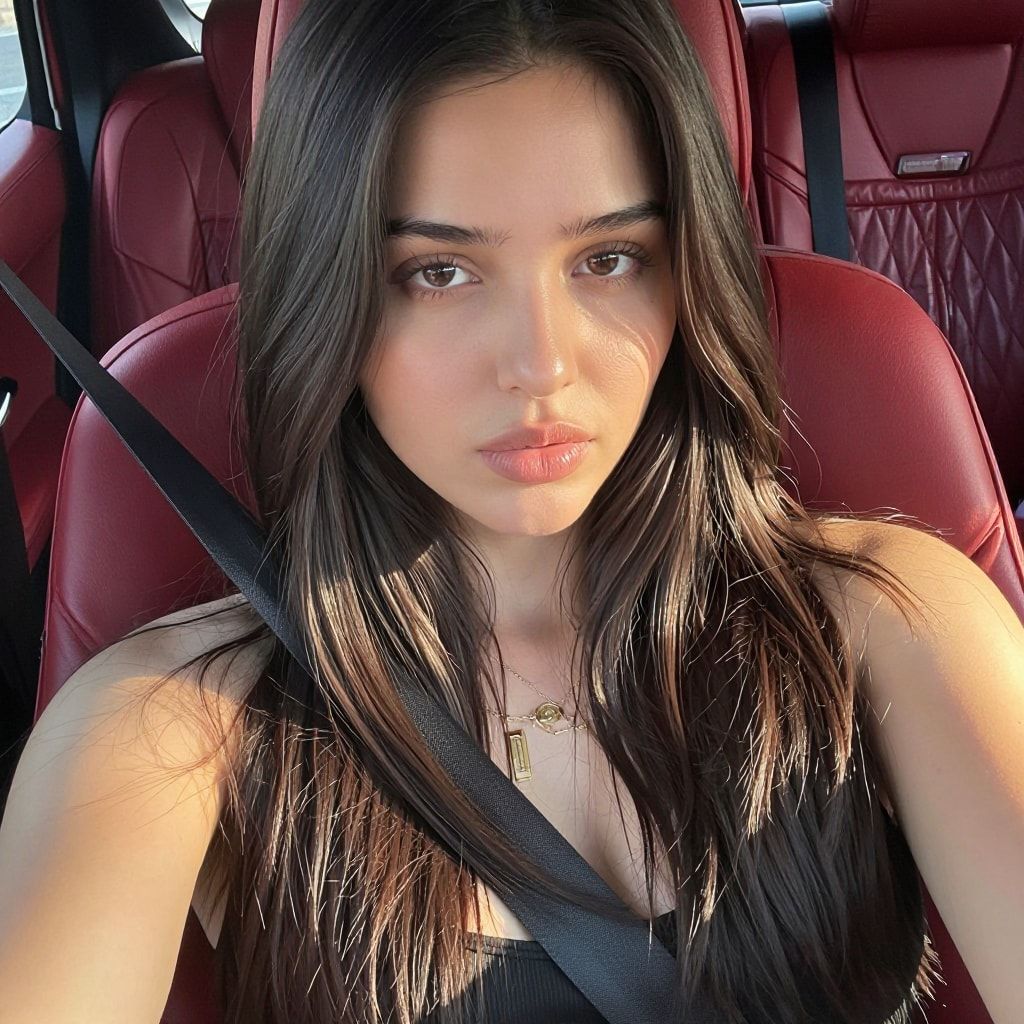
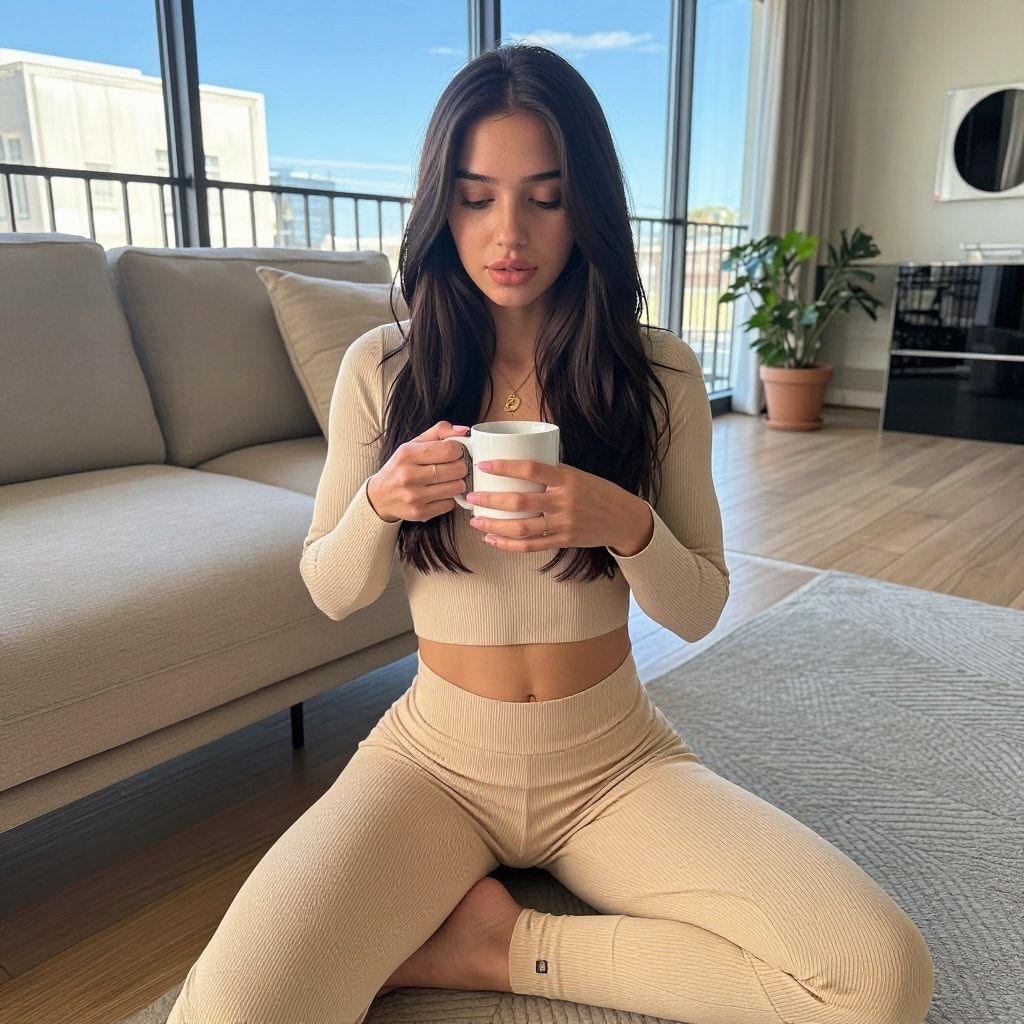
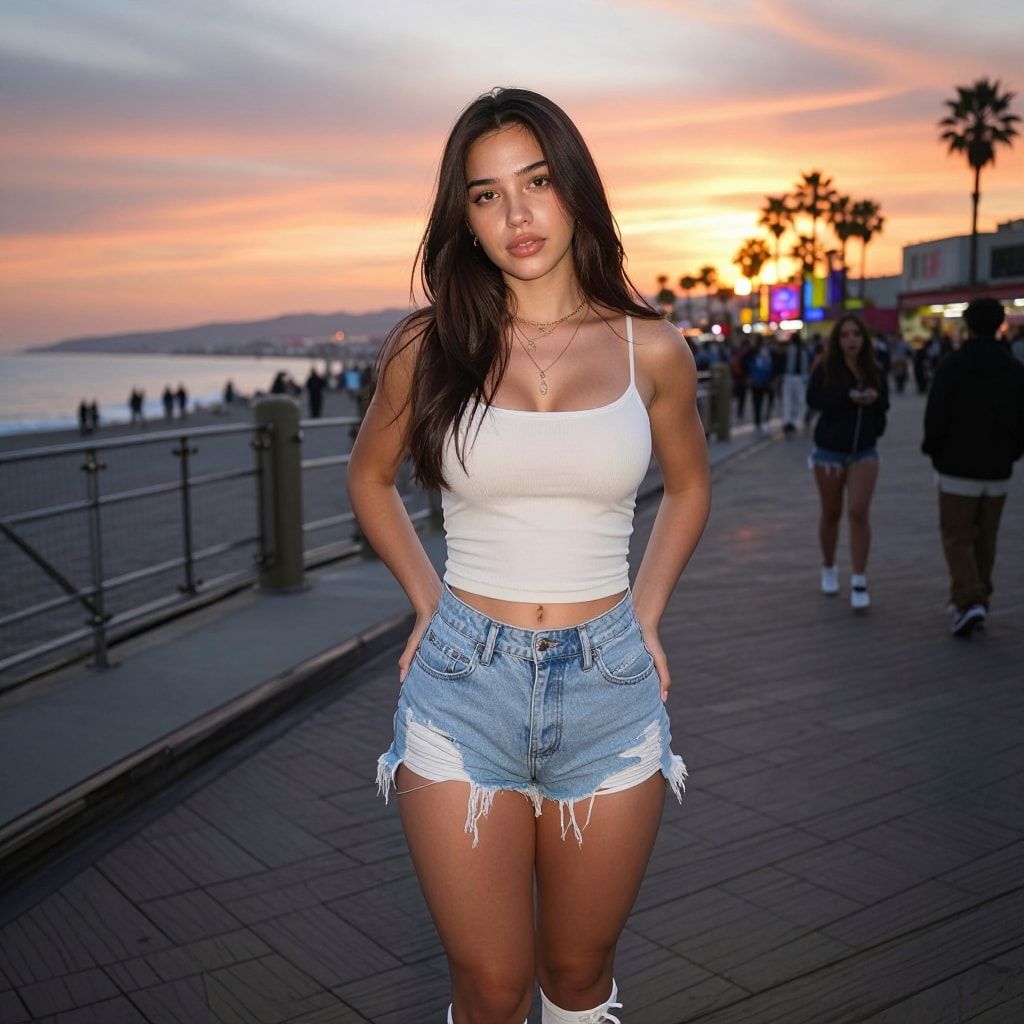
Two account rules from the course sit on top of the photo rules. No cosplay or costume shoots at zero followers: a new account should look like a person’s camera roll, not a theme. And on a new account, start with a dress, not swimwear. A feed that looks lived-in comes before anything else.
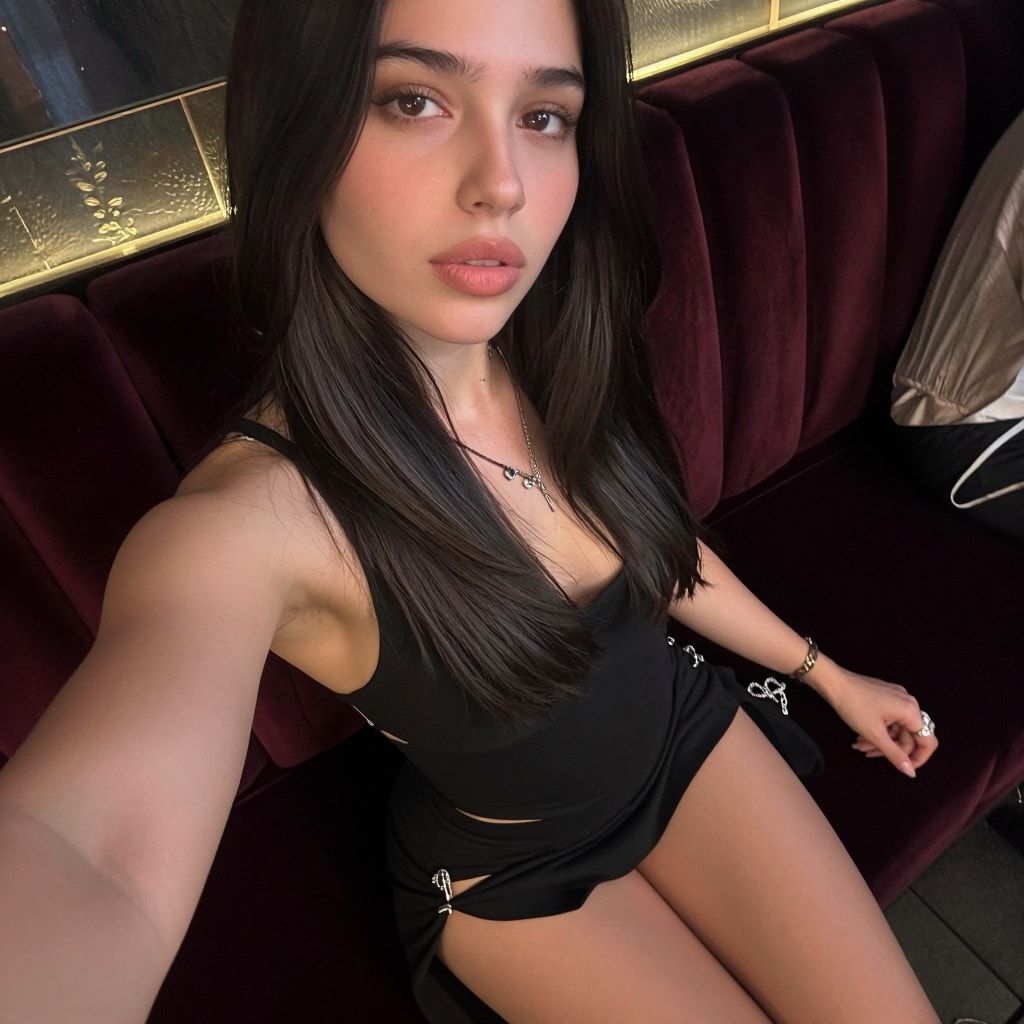
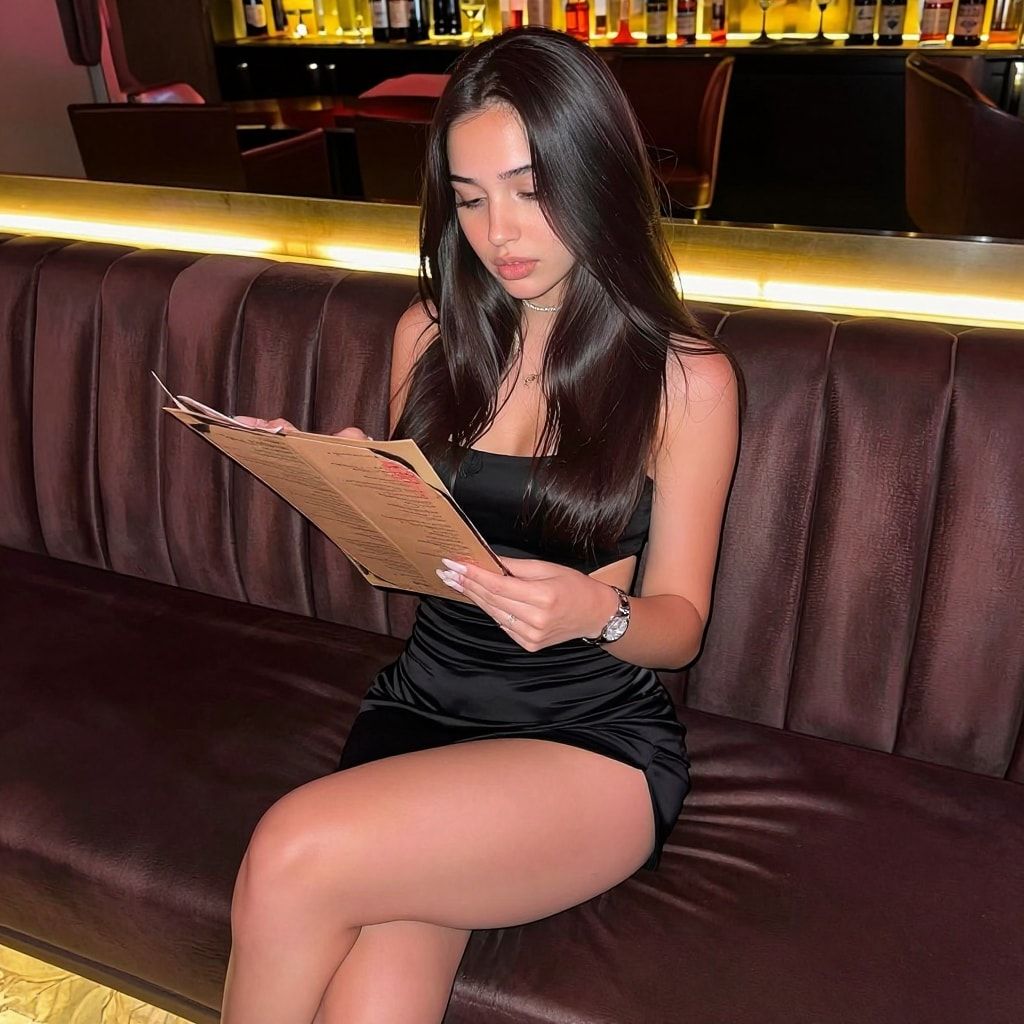
Which prompt words make AI photos look fake?
Studio and quality words. “Professional photo”, “studio lighting”, “perfect lighting”, “flawless skin” and “8k” all describe a shoot or a retouch, not a phone snapshot. Delete them and say what a phone would see instead: the photo type, the real light, the framing. Here are the swaps we make.
| Delete this | Write this instead |
|---|---|
| professional photo, DSLR, portrait photography | candid smartphone photo |
| studio lighting, perfect lighting | a named light: “soft grey daylight through the glass” |
| flawless skin, smooth skin, makeup words | natural skin texture (and nothing else about skin) |
| posing for the camera, model pose | a moment: “holding an iced latte”, “reading a menu” |
| photoshoot, set, backdrop | a real place: “small corner café on a rainy afternoon” |
| beautiful face, perfect features | nothing: the LoRA holds her face |
Why does her skin look plastic, and how do you fix it?
Two causes in our pipeline: skin, makeup or “flawless” words in the prompt, or a LoRA checkpoint that trained too long. Delete the words first, since that costs nothing. If the skin still looks waxy and the same background keeps coming back, go to an earlier checkpoint. A negative prompt won’t fix either one.
The checkpoint fix has its own guide: how to spot and fix an overtrained LoRA, with the test procedure in how to test a LoRA.
Why not a negative prompt? Our face workflow (Z-Image Turbo) and our generator template both run at CFG 1. At CFG 1, ComfyUI drops the negative prompt before sampling; you can see it in its sampling code. Tongyi’s Z-Image card also lists negative prompting as unsupported for Turbo (both checked 2 Oct 2026). Typing “plastic skin” there does nothing.
Does looking real mean hiding that she’s AI?
No. Realism is about the photo, not about fooling anyone. On this site she’s always disclosed: Instagram’s AI-generated profile label, TikTok’s label on realistic AI content, and Fanvue’s AI note in the bio, captions or a watermark. A believable phone photo with an honest label is the whole approach.
The rules, as checked on 2 Oct 2026:
- Instagram: turn on the “AI-generated profile” label. Unlabelled AI profiles may see limits (Instagram). Our walkthrough: the Instagram AI-generated profile label.
- TikTok: label AI content showing realistic-looking people or scenes (TikTok guidelines).
- Fanvue: clear, prominent disclosure in the bio, captions or a watermark (Fanvue help).
What can go wrong?
- Skin still looks plastic after you deleted the skin words. The checkpoint trained too long. Use an earlier one.
- She looks like someone else in one image. The prompt describes her face, makeup or body. Keep only the hair-and-eyes line.
- Everything looks like a studio shoot. The prompt says “professional”, “studio” or “portrait photography”. Swap it using the table above.
- A selfie with a friend’s framing. “Mirror selfie, full body from across the room” can’t both be true. Pick who holds the phone.
- The feed looks generated even though each image is fine. Every post is a close-up in a new outfit. Mix the framing and post carousels.
- She looks like a real person you know of. Change her. Original characters must not resemble anyone real.
Questions people ask
Why do AI photos look fake?
Do words like "realistic, 8k, ultra detailed" help?
Can I fix plastic skin with a negative prompt?
If she looks real, do I still have to label her as AI?
Read next
- How to keep your AI character's face the same in every photo
Prompts, reference images, a character LoRA, or a LoRA trained on a dataset you generate. What each holds, what it costs, and when you need a LoRA.
- Photo dump prompts: 4 carousel sets that look like one real day
20 photo dump prompts in 4 ready carousel sets. Same outfit and place in all 5, only pose and framing change, so your AI character's set reads as one day.
- LoRA overfitting: how to spot an overtrained character LoRA and fix it
An overtrained character LoRA repeats the same background, outfit or expression and gives plastic skin. How to spot it, fix it, and stop it next time.
- Free AI influencer prompt generator
Pick outfit, location, pose, light and camera style and get a ready-to-copy AI influencer prompt in the format that works with a character LoRA. Free.