Comfy Cloud vs RunPod: where should your AI character's workflows run?
Comfy Cloud is hosted ComfyUI: plans from $20 a month, a 96 GB card, and you only pay while a workflow runs. RunPod rents you the whole GPU by the second, so it also runs LoRA training, the Dataset Maker and a Serverless bot, which Comfy Cloud’s plans don’t cover. We build on RunPod. If you sign up through our link, RunPod gives us credits worth a share of what you spend in your first 6 months. It also gives us credits worth a share of what’s spent on our templates (details). So read the dated facts below and judge for yourself. How renting on RunPod works is in our RunPod for AI images guide.
Affiliate note: RunPod and Fanvue links on this page are referral links. If you sign up through them, AI Empire may earn credits or a commission. You pay the same. How this works.
On this page
What is Comfy Cloud, and how is it different from RunPod?
Comfy Cloud is ComfyUI in your browser, run by Comfy Org, the team behind ComfyUI. You open it, load a workflow, press Run, and pay from a monthly pool of credits only while the job runs. RunPod rents you a whole machine: you pick the GPU, deploy a template, and pay every second it’s on.
That one difference drives everything else on this page. Comfy Cloud is a managed service: models are pre-installed, nothing to boot, nothing to terminate. RunPod is a rented computer: more setup, but you can install and run anything on it.
| Comfy Cloud | RunPod | |
|---|---|---|
| What you get | Hosted ComfyUI | A pod (a whole GPU machine) or a Serverless endpoint |
| GPU | RTX PRO 6000, 96 GB | You pick: 24 GB to 96 GB and up |
| You pay for | Active workflow time, from plan credits | Every second the pod runs, plus storage |
| Subscription | Yes, from $20 a month | No, prepaid credit |
| Max run length | 30 minutes; 1 hour on Pro | None set by RunPod |
| Your own models | Creator plan and up, from CivitAI or Hugging Face | Anything you upload |
| Custom nodes | A supported list | Anything you install |
Comfy Cloud facts from comfy.org/pricing, RunPod facts from RunPod’s pricing docs, both checked 4 Oct 2026.
What does each cost for making images with your LoRA?
On Comfy Cloud, using your own LoRA means the Creator plan: $35 a month, or $28 a month billed yearly. On RunPod there’s no plan: a 24 GB RTX 4090 is $0.74 an hour on secure cloud (2 Oct 2026). What decides it is how you work: in short scattered bursts, or long sessions.
Comfy Cloud’s plans, checked 4 Oct 2026:
| Plan | Monthly | Billed yearly | Credits | Own LoRAs | Max run |
|---|---|---|---|---|---|
| Standard | $20 | $192 ($16/month) | 50,400 a year | No | 30 min |
| Creator | $35 | $336 ($28/month) | 88,800 a year | Yes | 30 min |
| Pro | $100 | $960 ($80/month) | 253,200 a year | Yes | 1 hour |
Plan credits reset each billing cycle and don’t roll over; top-ups stay valid for a year. Comfy’s own yardstick is that a 5-second Wan 2.2 video uses roughly 11 credits.
How far do the credits go? Comfy’s API price list charges 957.94 credits for an hour of RTX PRO 6000 time, which it prices at $4.54 (Comfy lists that rate for its separate API product). If Cloud runs use the same rate, Creator’s 7,400 credits a month buy about 7.7 hours of active GPU time. The pricing page doesn’t state the Cloud rate directly, so treat that as an estimate.
On RunPod, the same $35 buys about 47 hours of an RTX 4090 on secure cloud, or about 16.7 hours of the same RTX PRO 6000 at $2.09. We haven’t timed the same workflow on both, so hours don’t translate straight into images. The catch: those are wall-clock hours. Time spent writing prompts, waiting for the first boot to download models, or forgetting to terminate all count. Comfy Cloud bills none of that.
Can you use your own LoRA on Comfy Cloud?
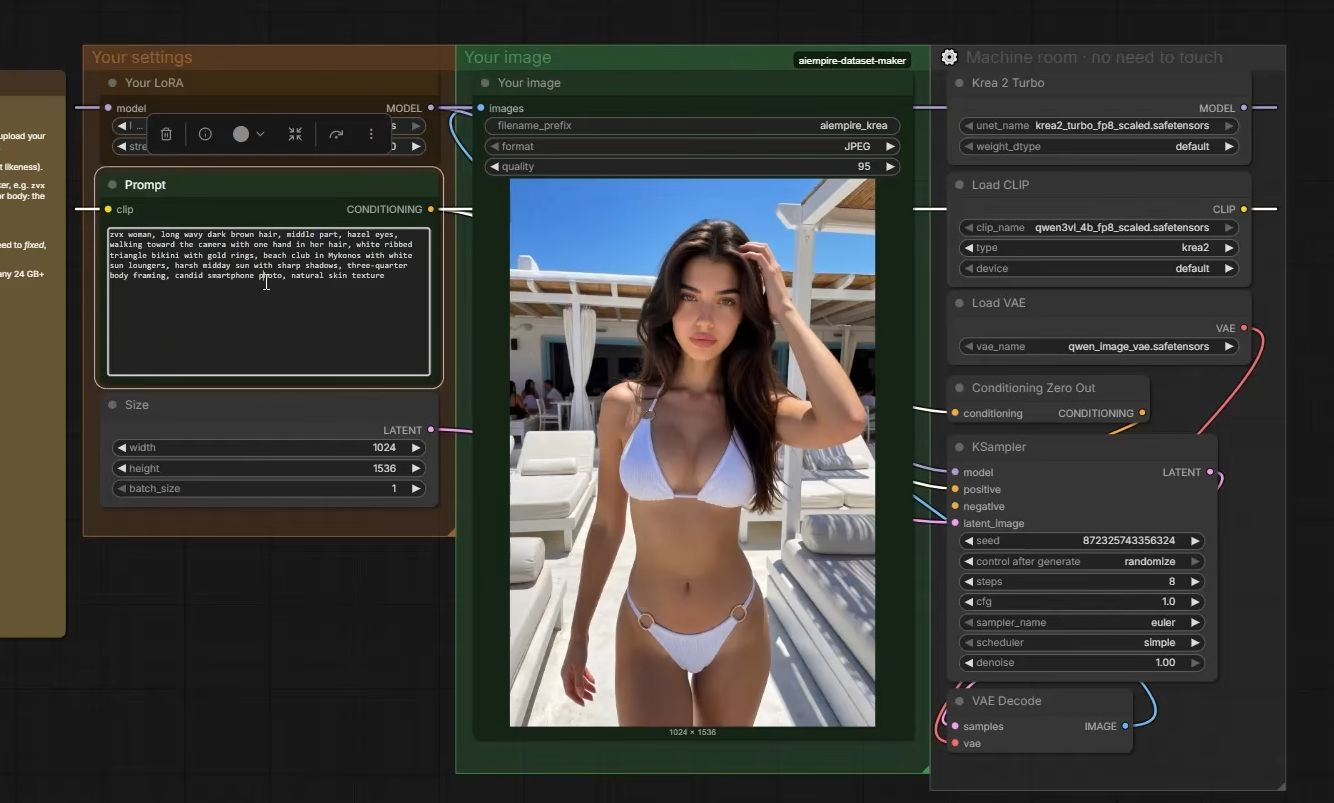
Yes, from the Creator plan up. Comfy’s pricing page says you can bring your own models and LoRAs from CivitAI or Hugging Face. Standard doesn’t include importing your own models. Two things to check first: that her base model is available there, and where her LoRA file has to live.
Her LoRA only works with the base model it was trained on. The course trains on Krea 2 and generates with Krea 2 Turbo, so check that Comfy Cloud’s model library has it before you subscribe.
Then the file. Import comes from CivitAI or Hugging Face, so her LoRA has to be uploaded to one of them. Think before you post it publicly: her character LoRA is her face, and a public file lets anyone generate her. Check whether Comfy Cloud can read a private repository for your plan. On RunPod you upload the file straight to your pod from your computer.
Can you train a LoRA on Comfy Cloud?
Not according to its pricing page, which lists no LoRA training on any plan (checked 4 Oct 2026). And every run is capped: 30 minutes on Standard and Creator, 1 hour on Pro, with longer jobs cancelled. A character LoRA in the course trains for 2 to 3 hours, so it wouldn’t fit.
We train with Ostris AI Toolkit on a RunPod pod with a 96 GB RTX PRO 6000, at $2.09 an hour on secure cloud (2 Oct 2026). Our current template settings run 3,000 steps with a save every 250. A full run costs about $4.20 to $6.30. The full walkthrough is the LoRA training tutorial.
So even if you generate on Comfy Cloud later, the training step happens somewhere else. Our where to train a LoRA guide compares the options.
What about the Dataset Maker and the Telegram bot?
Both are built for RunPod. The Dataset Maker is a ComfyUI workflow with its own custom nodes, and its paid engines bill through a RunPod API key. The Telegram bot sends each request to a RunPod Serverless endpoint. Comfy Cloud has partner nodes and an API, but our code doesn’t target them.
The details, so you can judge:
- Dataset Maker. Comfy Cloud runs custom nodes from a supported list. Ours aren’t something we’ve checked against it, so don’t plan on running it there. Its paid engines (Nano Banana Pro at $0.14 a photo, Seedream about $0.03) call RunPod’s API with a key saved on the pod. Comfy Cloud offers Nano Banana Pro as a Partner Node billed from its credits, but that’s a different workflow.
- Telegram bot. It’s a Cloudflare Worker that calls RunPod Serverless, which scales to zero, so it costs nothing while idle. Comfy Cloud’s API comes with every paid plan, but the bot would need rewriting for it.
The dataset step is in the dataset tutorial, and the bot in the Telegram bot tutorial. Both assume RunPod. To follow along, sign up at RunPod.
When is Comfy Cloud the better choice?
When her LoRA is already trained and all you do is generate images in short, scattered sessions. You skip the boot, the model downloads and the terminate step, and you never pay for a pod left running. It’s also the simpler start if you only want ComfyUI and nothing to manage.
Comfy offers 5 free runs on real GPUs with no credit card, so you can check her base model is there before you pay.
It’s the weaker fit for building her: no listed training, a run cap, and our dataset and bot code built for RunPod. It also means a subscription even in months you barely post.
A mixed setup is reasonable: train and build on a pod, generate on Comfy Cloud if it suits your week. For daily photos from your phone, the Telegram bot on RunPod Serverless already costs nothing while idle. The other options are in our RunPod alternatives overview.
What can go wrong?
- You subscribe to Standard and can’t load her LoRA. Importing your own models starts at Creator.
- Her base model isn’t in the library. A LoRA only works with the base model it was trained on. Check before you pay.
- You upload her LoRA publicly to import it. Anyone can then make her. Use a private option if your plan supports one.
- A long job gets cancelled. Runs over 30 minutes (1 hour on Pro) are stopped automatically. Training doesn’t fit.
- A workflow fails on a missing node. Comfy Cloud runs a supported list of custom nodes. On a pod you install what’s missing; here you can’t. On RunPod, missing models are fixed by putting the file in the right folder.
- Your RunPod bill is higher than expected. A pod bills while you think, and a stopped pod keeps billing its disk. Terminate when you’re done.
Questions people ask
Is Comfy Cloud cheaper than RunPod?
Can I train a LoRA on Comfy Cloud?
Can I use my own LoRA on Comfy Cloud?
Does Comfy Cloud support custom nodes?
Read next
- RunPod for AI images: templates, GPUs and what it costs
Rent a GPU by the hour instead of buying one. Which RunPod GPU to pick, what storage costs, how to run ComfyUI, and the stop vs terminate trap.
- RunPod alternatives: which GPU cloud fits which job?
Vast.ai, Comfy Cloud, RunComfy, Lambda, Modal, Colab and your own PC: what each is for, dated prices from their own pages, and which jobs each one fits.
- RunPod vs Vast.ai: which GPU cloud fits an AI influencer?
RunPod sells set prices and one-click templates. Vast.ai is a marketplace where hosts set the price. Dated prices, hidden costs and when each one fits.
- How to load a ComfyUI workflow, and read one node by node
Load a ComfyUI workflow from a .json or a ComfyUI PNG, then read it: what each node in a real face workflow does, and why a stock install may reject it.