LoRA strength: what it does and what to set it to
LoRA strength sets how strongly a LoRA changes the base model when you generate: 0 turns it off, 1.0 applies it as it was trained. For a character LoRA our generator template uses 0.9, checkpoint comparisons run at 0.9 too, and our Telegram bot’s fix for an image that isn’t her face is 1.0. Those values come from the workflows behind our consistent AI character setup.
What does LoRA strength do?
A LoRA is a set of small changes to a base model. Strength multiplies those changes. At 1.0 the model gets them exactly as training made them. Lower values blend them in partly, so the base model’s own habits come back. Higher values push past what training produced. For a character, that means more or less of her.
ComfyUI’s docs describe it the same way: higher values make the LoRA’s effect stronger, and the usual range for everyday generation is 0 to 1 (LoraLoader docs, checked 2 Oct 2026).
What changes as you move the slider, for a character LoRA. A rough guide, not measured results:
| Strength | What you tend to see |
|---|---|
| 0 | The LoRA is off. The trigger word means nothing. |
| Well below 0.8 | A woman who resembles her, with the base model filling in the rest |
| 0.8 | Her, with the most room for the prompt. Our “looser” setting. |
| 0.9 | Our default: clearly her, and the prompt still steers the scene |
| 1.0 | The strongest setting in our templates. The LoRA as trained. |
| Above 1.0 | Past what training produced. Our templates don’t go there. |
What LoRA strength should you use for a character?
Start at 0.9. That’s the default in our generator template, with 0.8 as the looser option and 1.0 as the strongest. If the face isn’t quite her, go to 1.0. If the prompt’s outfit, place or light isn’t coming through, try 0.8. Stay between 0.8 and 1.0.
These are the values from our own workflows, as of October 2026:
| Where | Strength | Why that value |
|---|---|---|
| Generator template (character LoRA) | 0.9 | Default. 0.8 looser, 1.0 strongest. |
| Checkpoint tests | 0.9; 0.8 and 1.0 for close calls | Same value for every file; a good checkpoint holds her face across 0.8 to 1.0 |
Telegram bot, LORA_STRENGTH |
0.9 by default (optional variable) | Set to 1.0 when replies come back “not her face” |
| Face workflow | 0.85 | A different job: making new faces, not holding one |
Once you have her character LoRA, use 0.8 to 1.0, not the face workflow’s 0.85.
These are the values for our current templates on our current base model. Another base model or another trainer can land somewhere else in that range, which is why we check close checkpoints at 0.8 and 1.0 as well as 0.9. The method is in how to test a LoRA.
What’s the difference between strength_model and strength_clip?
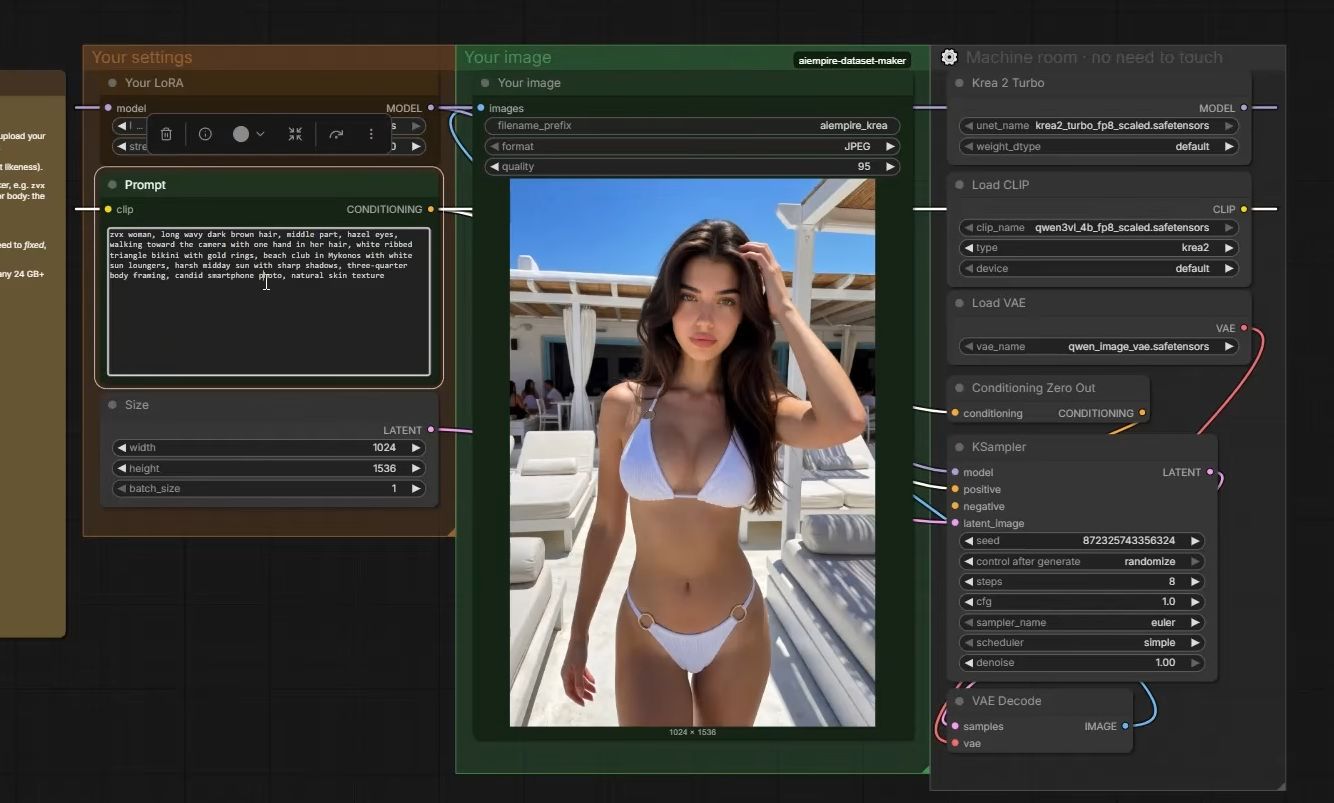
ComfyUI’s standard Load LoRA node has two sliders. strength_model sets how much the LoRA changes the image model. strength_clip sets how much it changes the text encoder, which turns your prompt into something the model understands. A model-only loader has just the first slider, and that’s what our templates use.
ComfyUI’s docs define both: strength_model affects how strongly the LoRA changes the model weights, strength_clip how strongly it changes the text embeddings (ComfyUI LoRA example, checked 2 Oct 2026). The model-only node, LoraLoaderModelOnly, takes the model, the LoRA file and strength_model, and nothing else (docs).
In our generator template the prompt goes straight from the text encoder to the sampler, and the LoRA only touches the image model. So when this site says “strength”, it means that one value. If your workflow uses the two-slider node, a good rule of thumb is to keep both at the same value unless you have a reason to split them.
Can LoRA strength go above 1?
Yes, technically. ComfyUI accepts anything from -100 to 100 (LoraLoader docs). Our templates top out at 1.0 for a character LoRA. A good rule of thumb: if 1.0 with the exact trigger word can’t call her, a bigger number is treating the symptom. The cause is the file, the base model, the checkpoint or the dataset.
That’s the order our Telegram bot’s troubleshooting follows: exact trigger word first, then LORA_STRENGTH at 1.0. If she’s still not there, work through why a LoRA isn’t working from the top.
Strength is a dial you set when you generate; the checkpoint is what the LoRA knows. If every image repeats the same background or outfit, that’s the checkpoint: see our LoRA overfitting guide.
How do you set the strength in our Telegram bot?
LORA_STRENGTH is an optional variable in the Cloudflare Worker settings. If you don’t set it, the bot uses 0.9. Add it only to change the value, for example to 1.0 when replies come back looking like someone else. Check the trigger word in your message first: that’s the bot’s fix for “not her face”.
The bot loads your LoRA from LORA_URL on a serverless endpoint. It runs Krea 2 Turbo, so the LoRA has to be trained on Krea 2. It’s the same LoRA you test in ComfyUI, so test your strength there first, with a fixed seed, and copy the value that works.
What can go wrong?
- You change strength and checkpoint at once. You won’t know which one helped. Change one, keep the seed.
- You use the face workflow’s 0.85 for her LoRA. It belongs to a different job, making a new face. Start your character LoRA at 0.9.
- You push above 1.0 to force her face. It can’t fix a wrong base model, a misspelled trigger or an early checkpoint. Find the cause instead.
- Both sliders in the two-slider node are set differently by accident. An old workflow might carry a low
strength_clipfrom another LoRA. Check both. - You compare strengths on random seeds. Every image changes anyway, so you can’t see what strength did. Fix the seed.
- Strength 0 in a copied workflow. A workflow you copied may have the LoRA node at 0 or bypassed. The trigger word then does nothing.
Questions people ask
What is a good LoRA strength for a character?
What's the difference between strength_model and strength_clip?
Can LoRA strength be higher than 1?
Should I change strength for every image?
Read next
- LoRA not working? 7 checks, cheapest first
LoRA doing nothing, giving the wrong face or not loading in ComfyUI? Seven checks, cheapest first, from the file to the dataset.
- How to test a LoRA and pick the right checkpoint
Compare the 2000, 2500 and final 3000-step files with the same prompt and seed, as video 3 of our course does. How to judge them and pick the keeper.
- LoRA overfitting: how to spot an overtrained character LoRA and fix it
An overtrained character LoRA repeats the same background, outfit or expression and gives plastic skin. How to spot it, fix it, and stop it next time.
- How to keep your AI character's face the same in every photo
Prompts, reference images, a character LoRA, or a LoRA trained on a dataset you generate. What each holds, what it costs, and when you need a LoRA.