How to make AI UGC videos: references, one master prompt, 3 clips, CapCut
An AI UGC video takes 4 steps in the course’s Phase 5 flow: give the video tool your character’s reference images and the product photos, have ChatGPT write one master prompt, generate 3 clips of up to 8 seconds (24 seconds total), then cut them together in CapCut. Tell the brand it’s AI before they pay. Selling these videos is one of the three income lines in making money with an AI influencer.
What is an AI UGC video?
A short product video in the style of a customer filming herself, made with an AI character instead of a human creator. Brands use them as ads and social posts. Because the “customer” is a made-up person, the script is about the product, never about results she personally had. She holds it, shows it and says what it is.
A made-up person claiming the cream cleared her skin is a fake testimonial. What’s allowed and what isn’t is in is AI UGC legal?
What do you need before you start?
Two sets of images and three tools. Character references show the video model exactly who she is; product photos show it exactly what she’s holding. Then ChatGPT for the prompt, a video model for the clips and CapCut for the edit. The lesson generated clips with Higgsfield using Kling, both paid tools (October 2026).
| You need | What exactly | Why |
|---|---|---|
| Character references | Her face from the front, a left profile, a right profile, and one outfit image | The video tool sees her from every side and keeps the same clothes in every clip |
| Product images | Clear photos of the product from more than one side, label readable | So the product’s shape, colour and label stay right |
| ChatGPT | Any account that takes image uploads | Writes the master prompt from your images |
| A video model | The lesson used Higgsfield with Kling | Turns references and prompt into clips |
| CapCut | The editor the lesson used; any video editor works | Joins the clips, adds captions and sound, exports |
What Higgsfield is, and the open route we use for everything else, is in Higgsfield alternative.
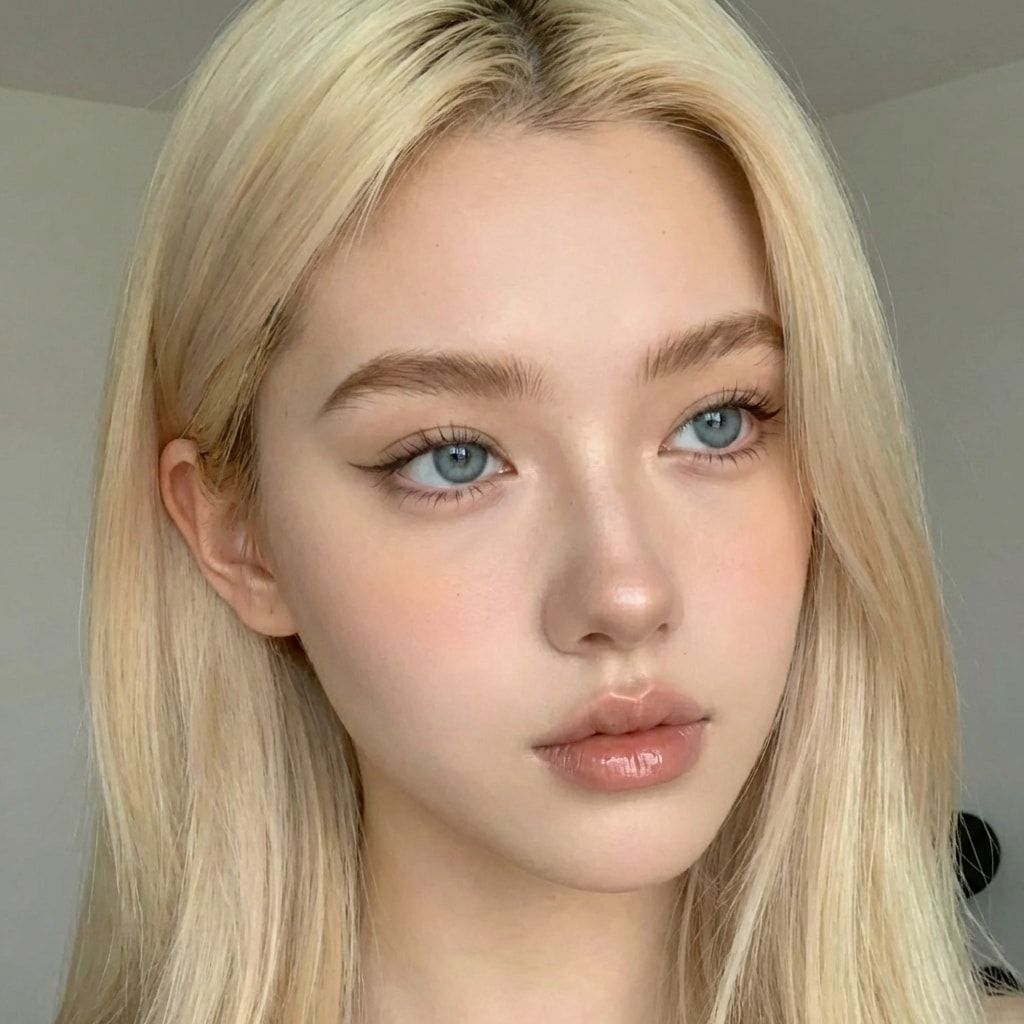
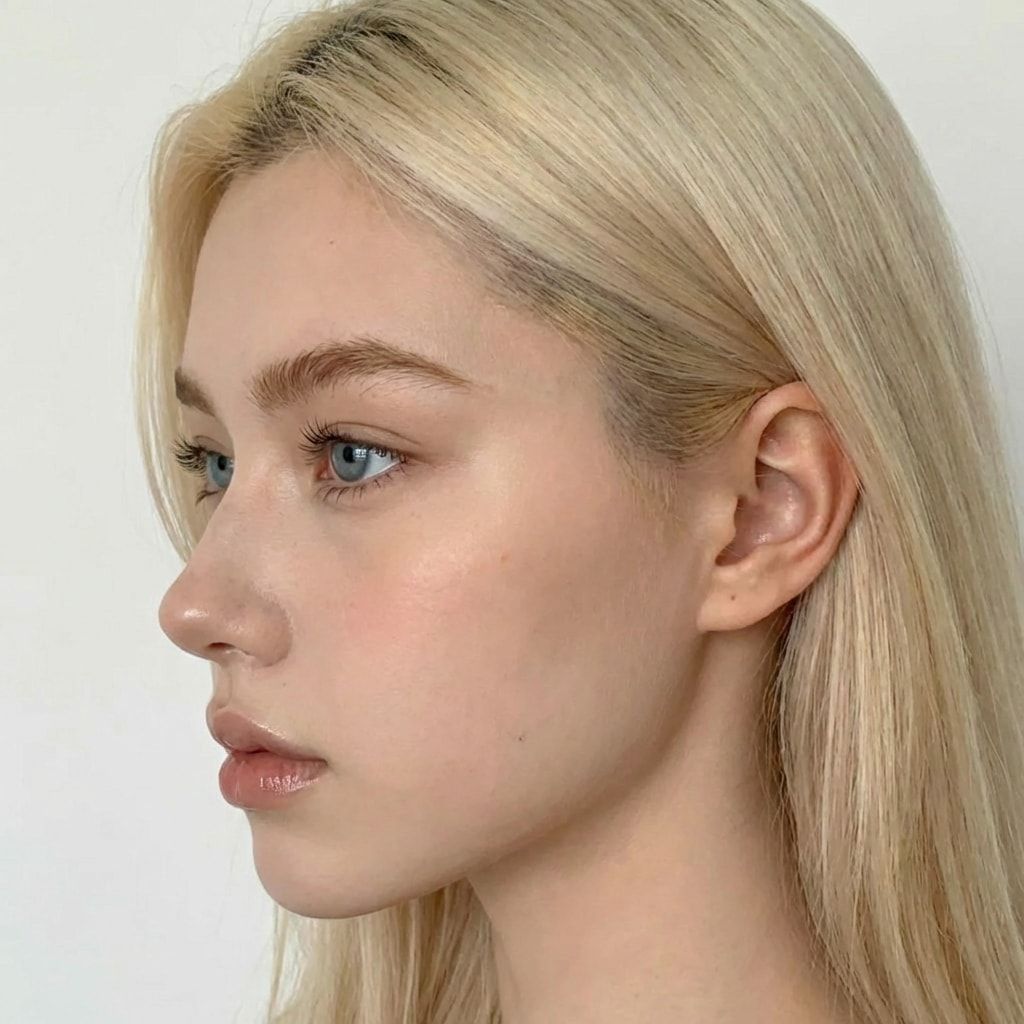
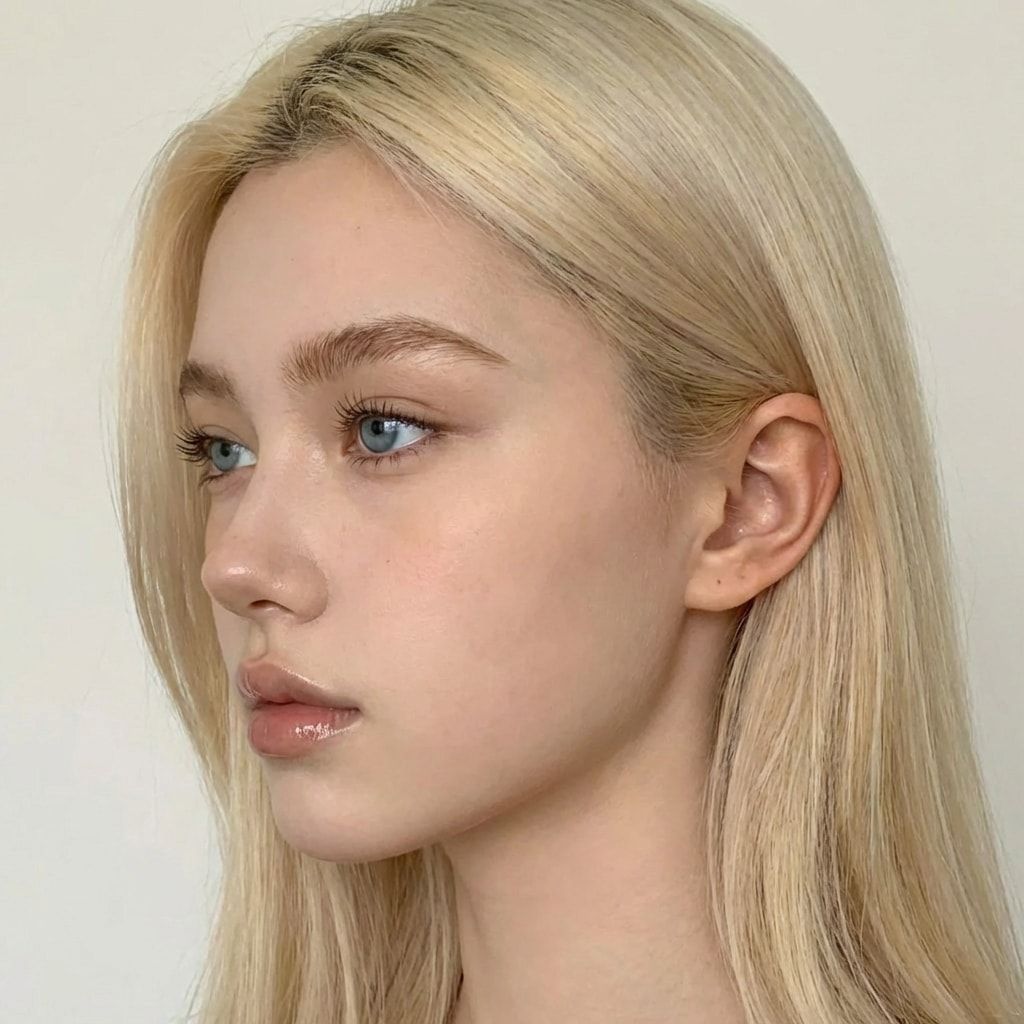
Use only your own character. Her face should be the same in every reference, which is the whole point of a consistent AI character. Product photos should come from the brand you’re making the video for, or from a product you own and photographed.
How do you write the master prompt?
Upload your references and product photos to ChatGPT, number them (“image one, image two, image three”), and describe the video in plain words. Then ask ChatGPT to write the prompt for your video tool, one per clip. That’s the course’s prompting method for edit and video models: AIs understand AIs best, so let one write for the other.
Here’s a starting request in that format. We wrote it from the course’s method; swap in your product, place and tool.
I'm making a 24-second vertical product video with an AI character.
Image one is her face from the front. Image two is her left profile.
Image three is her right profile. Image four is her outfit.
Images five and six are the product: [product name], a [what it is].
Split the video into 3 clips of 8 seconds each.
Clip 1: the hook. She holds the product up to the camera in [place], casual phone-camera look.
Clip 2: she uses the product. Keep the product large and in focus.
Clip 3: she holds it next to her face, smiles and says one short line about what it is.
Keep her face, hair and outfit identical in all 3 clips.
Keep the product's shape, colour and label exactly as in images five and six.
Write one prompt per clip for [video tool], plus the line she says in each clip.
Read what comes back. Delete any line where she claims a result (“my skin cleared up”, “I lost weight”). She can say what the product is and how it’s used; she can’t say it worked for her.
How do you generate the 3 clips?
One clip at a time, each from the same references and its own prompt. Keep each clip at 8 seconds or less, because that’s the course’s maximum. Check every clip for two things before you keep it: is it still her, and is it still the brand’s product? If either one drifted, generate that clip again.
- Load the references (front, both profiles, outfit) and the product photos into your video tool.
- Paste the prompt for clip 1. Set the length to 8 seconds or less and the format to vertical. If your tool only offers fixed lengths, pick the shortest one that fits, or trim in the edit.
- Generate, then check her face against your front reference and the product against the product photos: shape, colour, label text.
- Regenerate if anything drifted. Keep the best take.
- Repeat for clips 2 and 3 with the same references.
- Download all 3 clips at full quality.
Paid video tools charge per generation, so plan for a few retries per clip when you work out your cost. Other video models, including open-weight ones you run on a rented GPU, are covered in how to make AI influencer videos.
How do you put the video together in CapCut?
Line up the three clips, trim the dead frames, add captions and sound, export. The edit is where a set of generated clips starts to look like a phone video someone actually posted. Keep it simple: hard cuts, readable captions, nothing that looks like a TV ad.
- Start a new project with a 9:16 vertical canvas.
- Drop in clips 1, 2 and 3 in order.
- Trim the first and last frames of each clip where the motion starts or stops awkwardly.
- Add captions for her lines, big enough to read on a phone.
- Add sound only from a library you have the rights to use.
- Export the 9:16 version, then make a 1:1 copy if the brand wants square.
Keep the raw clips. A brand may want them for its own edits, and they’re the first thing you’ll need if a brand asks for a change.
How do you deliver the video to a brand?
With the AI in writing. Tell the brand before they pay that the video is AI-generated and put it in the agreement, so they can label the ad where the platform requires it, as TikTok’s ads policy does. Then deliver the files you agreed on. The full rules are in is AI UGC legal?
What to charge and what to agree with the brand are in AI UGC pricing. The course’s homework for this phase is one product video for any product, real or made up. That’s also how you start a portfolio: the course’s outreach plan uses three product videos as the portfolio you show brands.
What can go wrong?
- Her face changes between clips. The clips used different references, or a clip ran too long. Use the same front, profile and outfit images every time, and keep clips at 8 seconds or less. For many videos, train a character LoRA.
- The product changes. A label with wrong letters, a bottle the wrong shape. Regenerate. Never ship a video where the product looks different from the real one.
- She claims results. “This fixed my acne” from a made-up person is a fake testimonial. Script the product, not her experience.
- Music you don’t own. Brands can’t run an ad with a track that isn’t licensed. Use a library you have the rights to.
- The brand finds out later that it’s AI. You lose the client and maybe your reputation. Say it first, put it in the agreement.
- Retries eat your margin. Paid tools charge per clip. Count retries when you price the job.
Questions people ask
How long should an AI UGC video be?
Do I need a LoRA to make AI UGC?
Can I make AI UGC videos for free?
Do I have to tell the brand the video is AI?
Read next
- AI UGC pricing: what to charge per video, and what to agree
The course's beginner rate is $50-150 per AI UGC video (Oct 2026). What a video costs you to make, what to agree in writing, how to price your first job.
- Is AI UGC legal? What the FTC, TikTok and the EU actually say
The FTC doesn't ban AI avatars in ads, but fake testimonials are illegal. TikTok Shop's AI rules, ad disclosure and the EU AI Act. Checked 2 Oct 2026.
- Can you make money with an AI influencer? An honest breakdown
What actually pays for an original, disclosed AI character: Fanvue, AI UGC for brands, brand posts. Real costs, a worked example, no fake numbers.
- How to keep your AI character's face the same in every photo
Prompts, reference images, a character LoRA, or a LoRA trained on a dataset you generate. What each holds, what it costs, and when you need a LoRA.